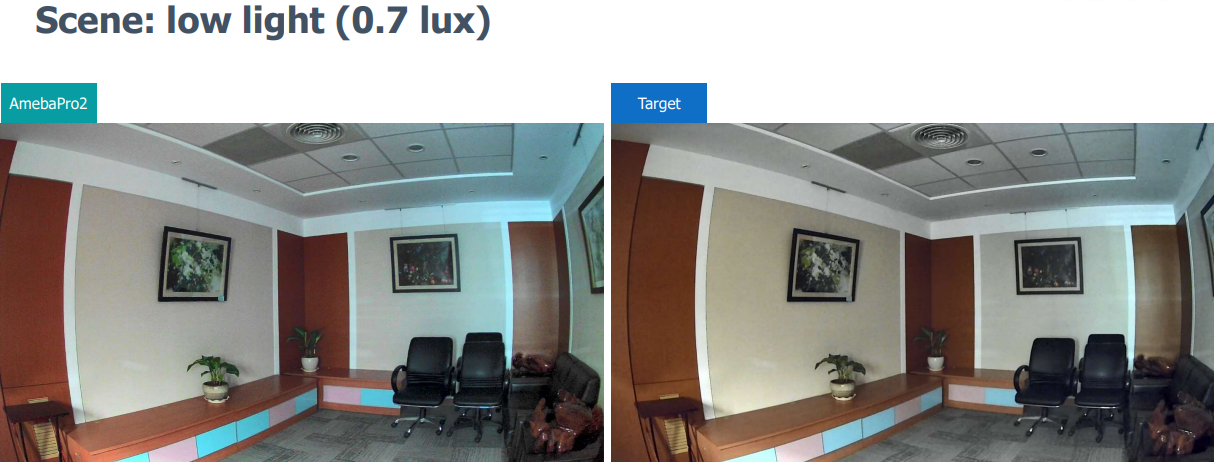
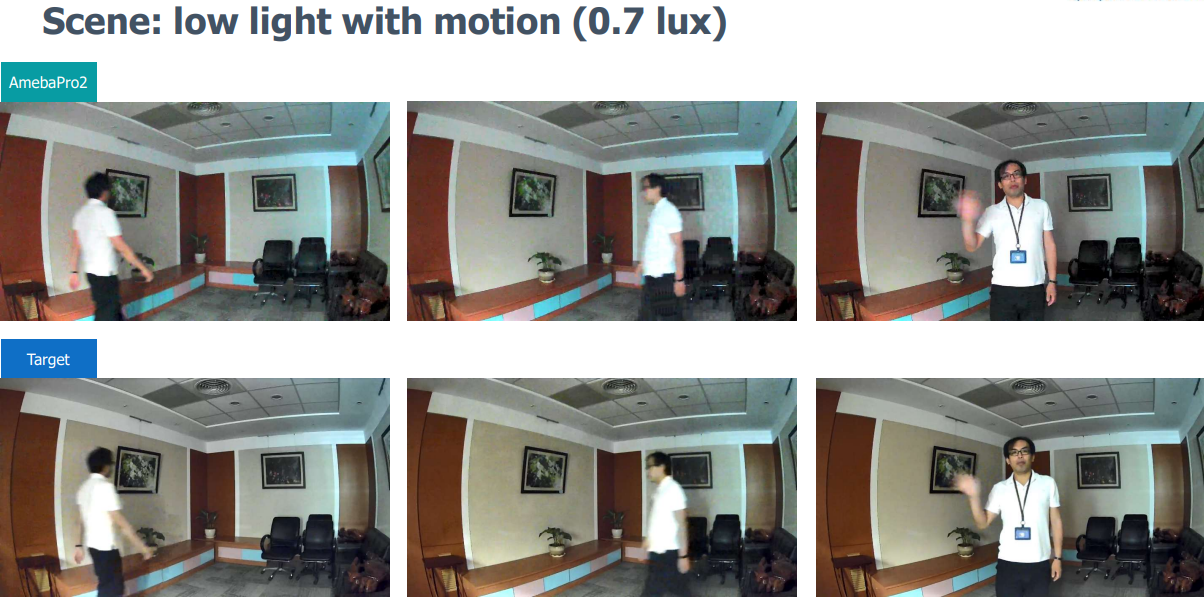
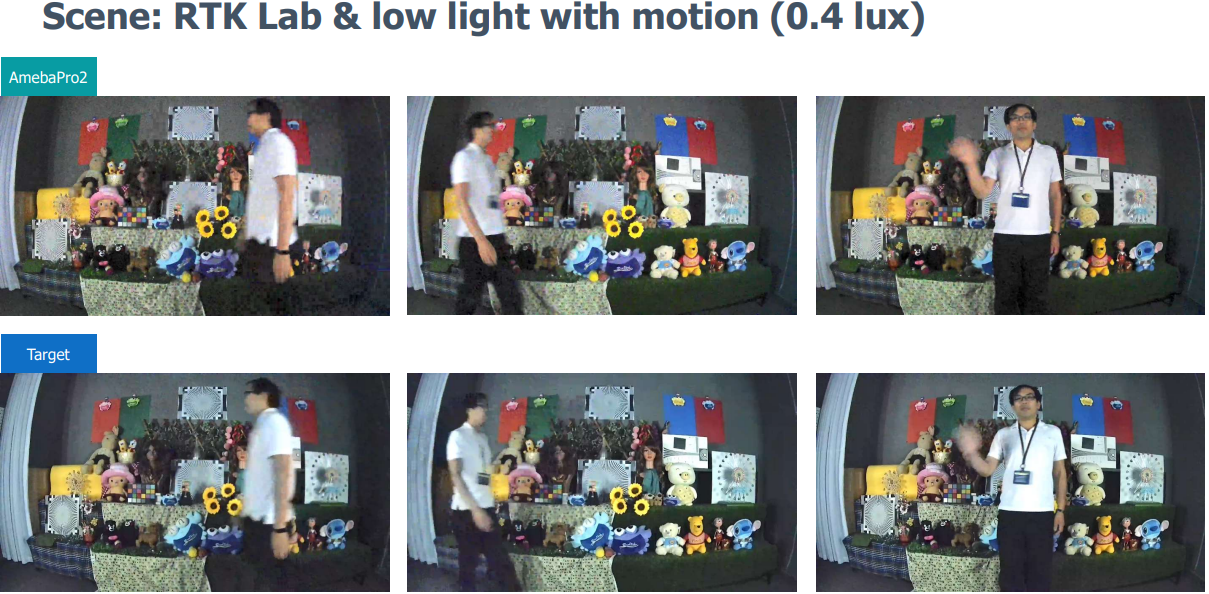
RTK IQ Validation Training
終端 Camera拍照主客觀測試標準
Brief introduction:本標準規定了終端公司Camera圖像效果測試規範,明確了各個測試項目的具體測試方法、測試標準;供公司內部決策參考,適用於Camera模組的規格制定、拍照產品設計和測試、及品質控制等方面。
Key words:Camera、圖像效果、測試方法、測試標準、解析力、色彩還原、均勻性、幾何失真、白平衡、動態範圍、信噪比、視場角、自動曝光測試、閃光燈測試、AF測試、Flare測試、缺陷圖元、溫升性能測試
Term & Definition:
A bbrevia tions |
Full spelling |
Chinese explanation |
|---|---|---|
Res olution |
Resolution |
解析力 |
3A |
AE , AF , AWB |
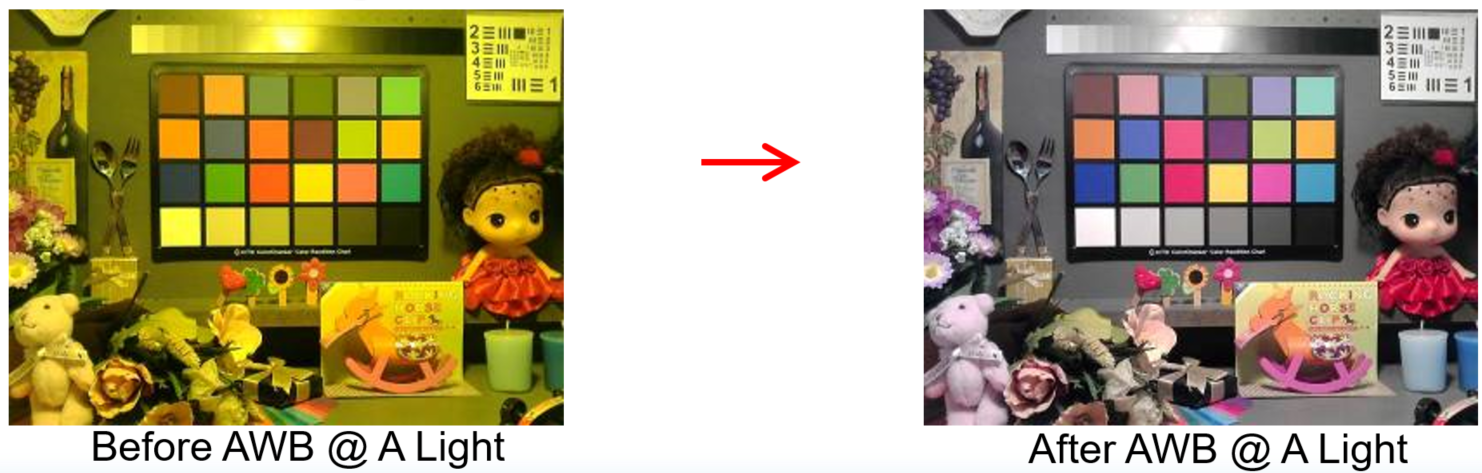
自動曝光,自動對焦,自動白平衡 |
FOV |
Field of View |
視場角 |
SNR |
Signal/Noise Ratio |
信噪比 |
MTF |
Modulation Transfer Function |
調製傳遞函數 |
HDR |
High- DynamicRange |
高動態範圍 |
LSC |
Lens Shading Correction |
鏡頭失光補正 |
RTK IQ Function Overview
Quality |
Shading Correction (RI / Color) |
DUT |
01 |
[D65] Relative illumination ≥ 80% |
Pass |
02 |
[CWF] Relative illumination ≥ 80% |
Pass |
03 |
[A] Relative illumination ≥ 80% |
Pass |
Quality |
Auto White Balance |
|
01 |
[D65] #20 ~ #23 Max ΔS ≤ 0.1 |
Pass |
02 |
[CWF] #20 ~ #23 Max ΔS ≤ 0.1 |
Pass |
03 |
[A] #20 ~ #23 Max ΔS ≤ 0.1 |
Pass |
Quality |
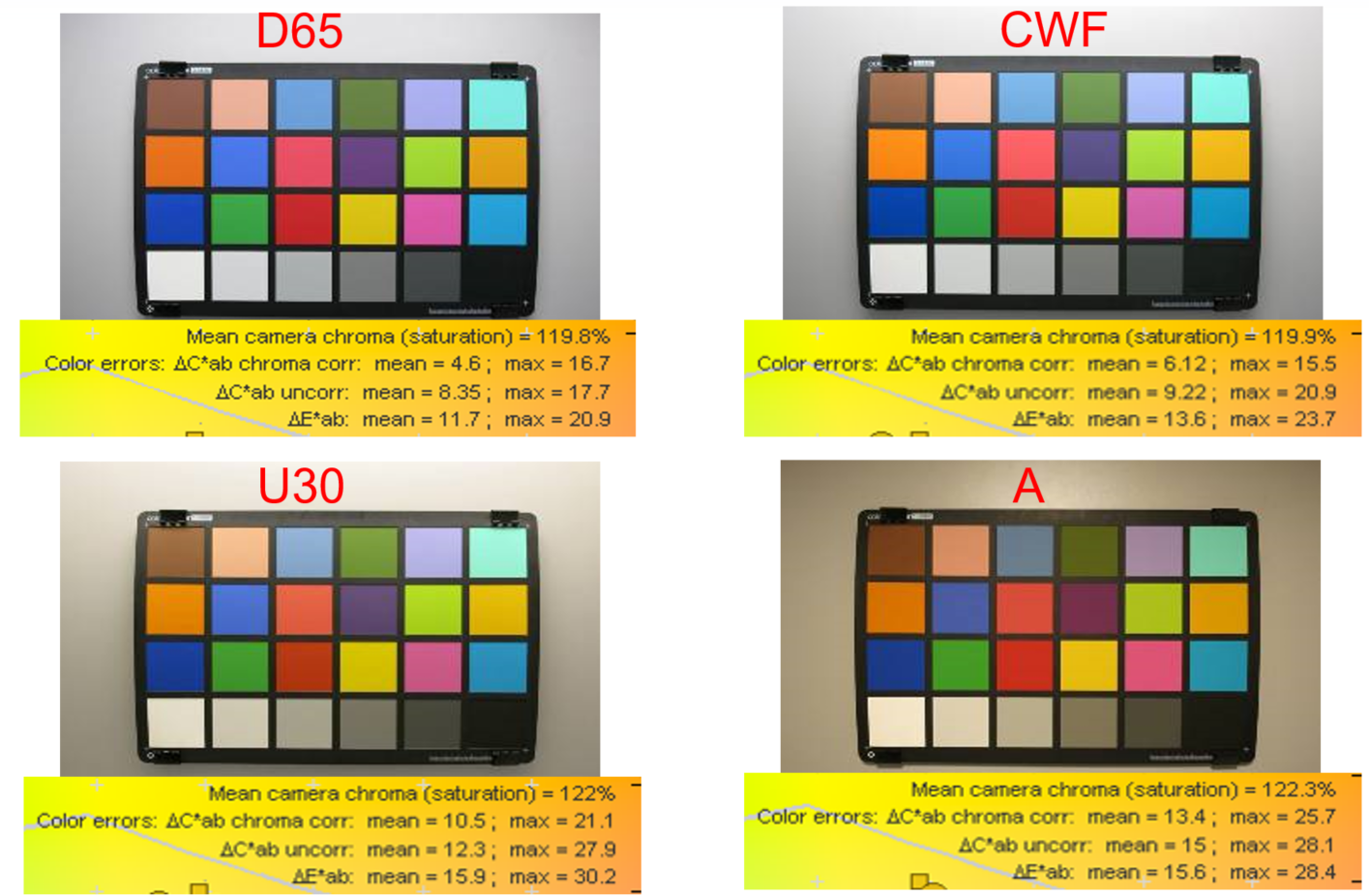
Saturation / Color accuracy |
|
01 |
[D65] mean ΔC ≤ 10 |
Pass |
02 |
[D65] max ΔC ≤ 30 |
Pass |
03 |
[D65] mean ΔE ≤ 20 |
Pass |
04 |
[D65] max ΔE ≤ 30 |
Pass |
05 |
[D65] Saturation [100% ~ 125%] |
Pass |
06 |
[CWF] mean ΔC ≤ 10 |
Pass |
07 |
[CWF] max ΔC ≤ 30 |
Pass |
08 |
[CWF] mean ΔE ≤ 20 |
Pass |
09 |
[CWF] max ΔE ≤ 30 |
Pass |
10 |
[CWF] Saturation [100% ~ 125%] |
Pass |
11 |
[A] mean ΔC ≤ 12 |
Pass |
12 |
[A] max ΔC ≤ 30 |
Pass |
13 |
[A] mean ΔE ≤ 20 |
Pass |
14 |
[A] max ΔE ≤ 30 |
Pass |
15 |
[A] Saturation [90% ~ 110%] |
Pass |
Quality |
MTF |
|
01 |
中心水平分辨率 ≥ 800 |
Pass |
02 |
中心垂直分辨率 ≥ 800 |
Pass |
03 |
四角水平分辨率 ≥ 400 |
Pass |
04 |
四角垂直分辨率 ≥ 400 |
Pass |
Quality |
SNR |
|
01 |
[D65] [Standard] R/G/B/Y ≥ 39 |
Pass |
02 |
[CWF] [Standard] R/G/B/Y ≥ 39 |
Pass |
03 |
[A] [Standard] Y ≥ 39 |
Pass |
Quality |
Defect Pixel Correction |
|
01 |
全黑場景無Hot Pixel |
Pass |
02 |
全白場景無Dead Pixel |
Pass |
Quality |
Dynamic Range |
|
01 |
[D65] [Standard]灰階亮度最大值 ≥ 200 |
Pass |
02 |
[D65] [Standard] 可分辨灰階數 |
Pass |
Set up standard testing scene
客觀測試標準——-MTF
1.1 解析力和銳化測試Resolution Sharpness
1.1.1 測試目的
測試拍照系統的解析力,包含中心解析力和邊角解析力;解析力又稱解析度,是Camera測試主要參數之一。在
拍照系統同等設計條件下,若解析力指標不達標,拍出的照片將模糊不清。
1.1.2 測試設備
ISO12233 Chart(1x,2x,4x;標準型和增強型)、手機夾具、大小三腳架、均勻光照明設備、色溫照度計、
顯微鏡、擦鏡布、酒精。
1.1.3 測試軟體
HYRes3和Imatest。
1.1.4 測試環境
保證反射式測試圖的物體照度為1000 Lux±10%;保證ISO12233整個Chart表面的亮度值均勻性偏差小於10%
(最大不能超過20%)。測試Chart周圍區域具有低反射係數,測試區域要遮罩任何反射光,具有有效光譜中性。
1.1.5 測試步驟
1、 拍照設置
調節Camera拍照系統相關參數設置為恢復預設模式;保證鏡頭乾淨、無損傷。
2、 測試環境搭建
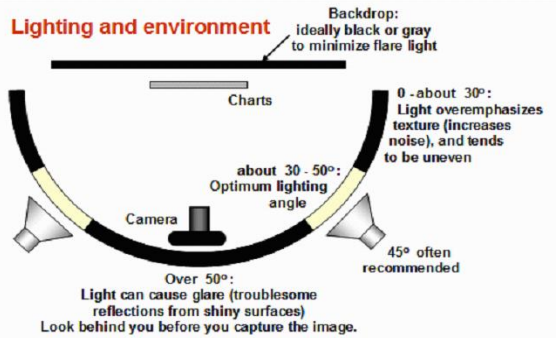
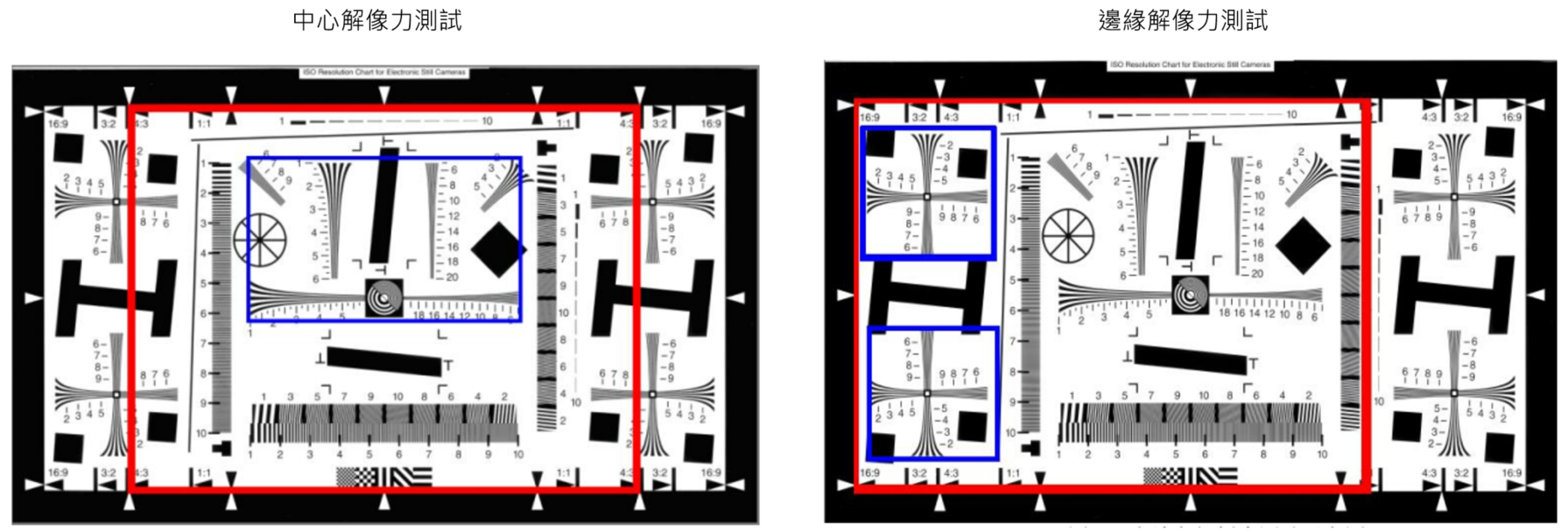
客觀測試標準——-MTF 解析度測試
採用HYRes軟體進行解析力測試。
HYRes3.1軟體使用方法:
(1)測試設置 使用軟體打開解析度測試圖像,在Trim介面下,按照如下圖所示的紅框來框選測試區域,注意左右區域選擇邊框要將線外的白色和黑色部分包含進去一些。
(2)測試讀數
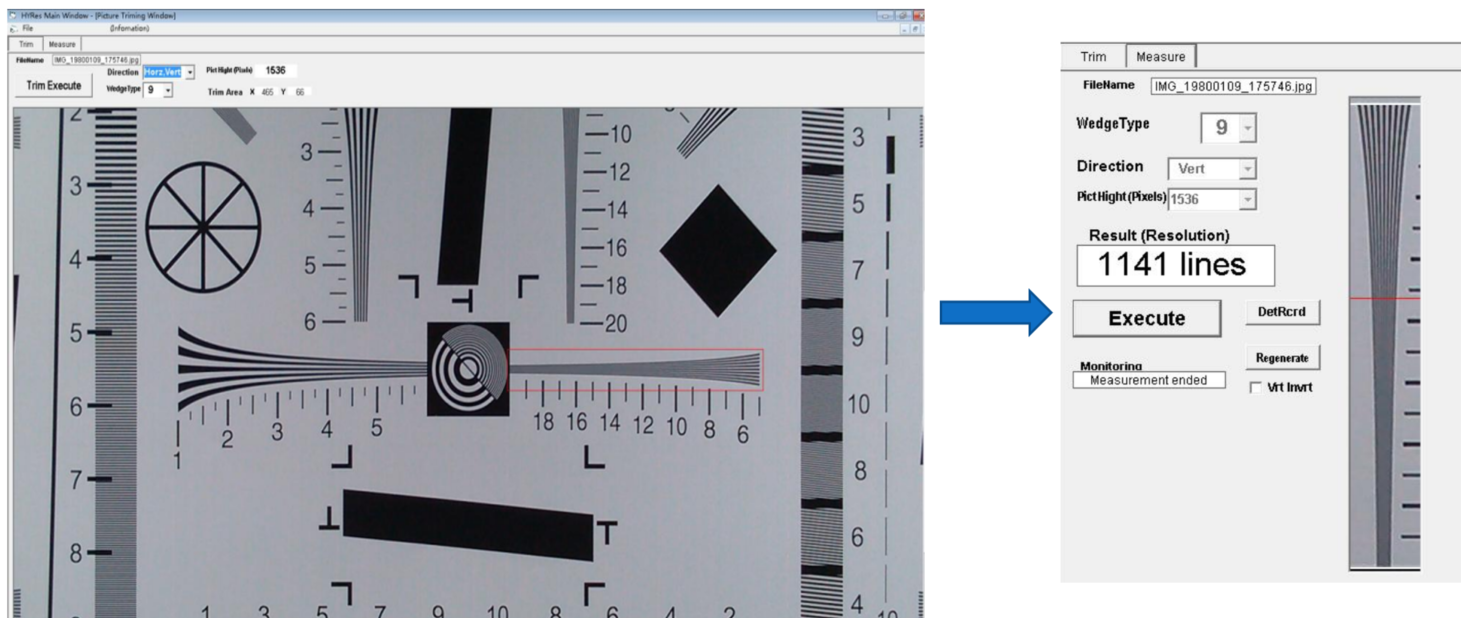
Sensor像素 |
解析力值 |
|
中心 |
四角 |
|
VGA 0.3M(640*480) |
300 |
250 |
1.3M(1280*960) |
600 |
500 |
2M(1600*1200) |
800 |
600 |
3M(2048*1536) |
1000 |
800 |
5M(2592*1936) |
1250 |
1000 |
8M(3264*2448) |
1600 |
1200 |
13M(4224*3136) |
2000 |
1500 |
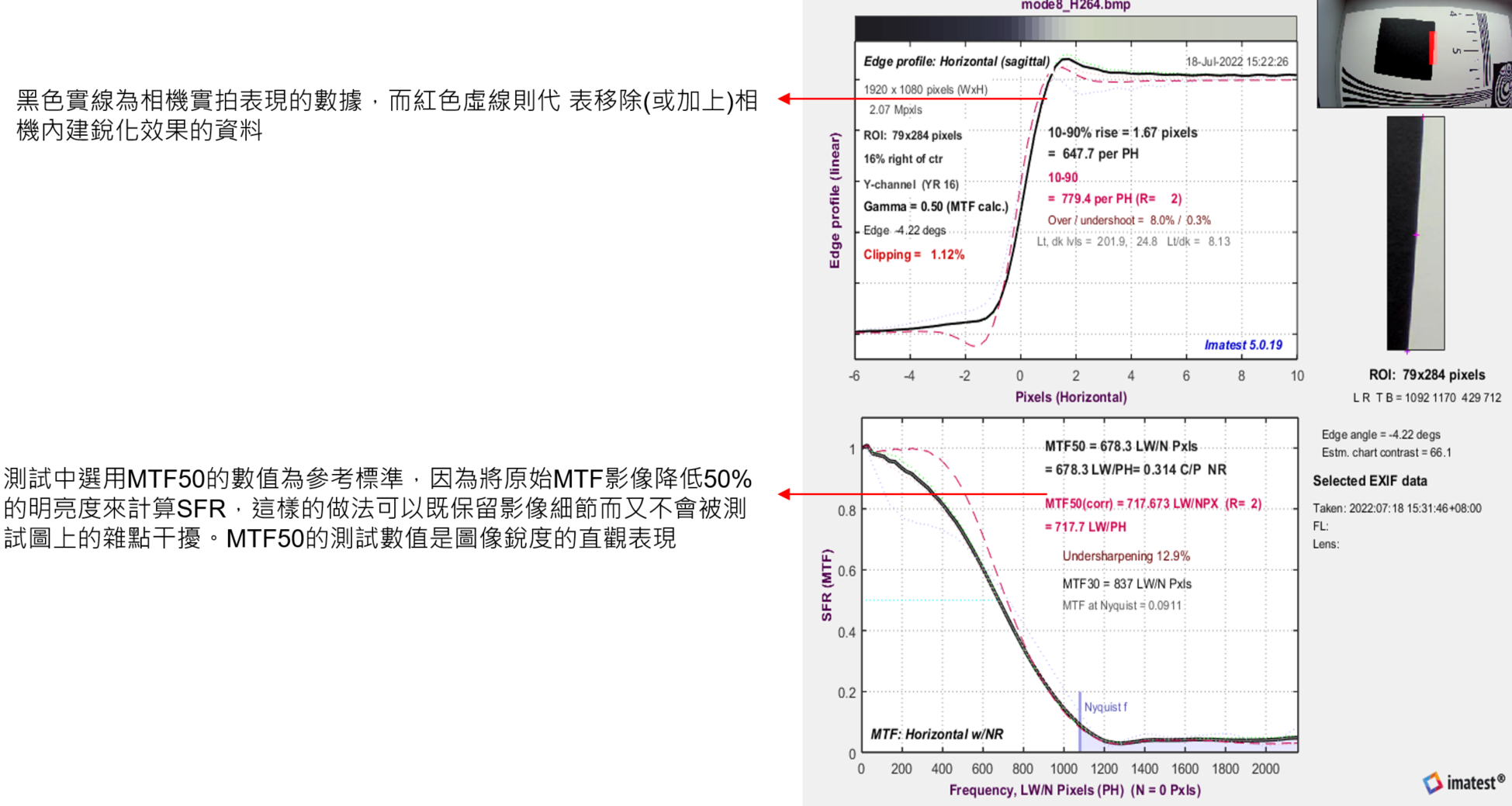
客觀測試標準——-SFR 測試
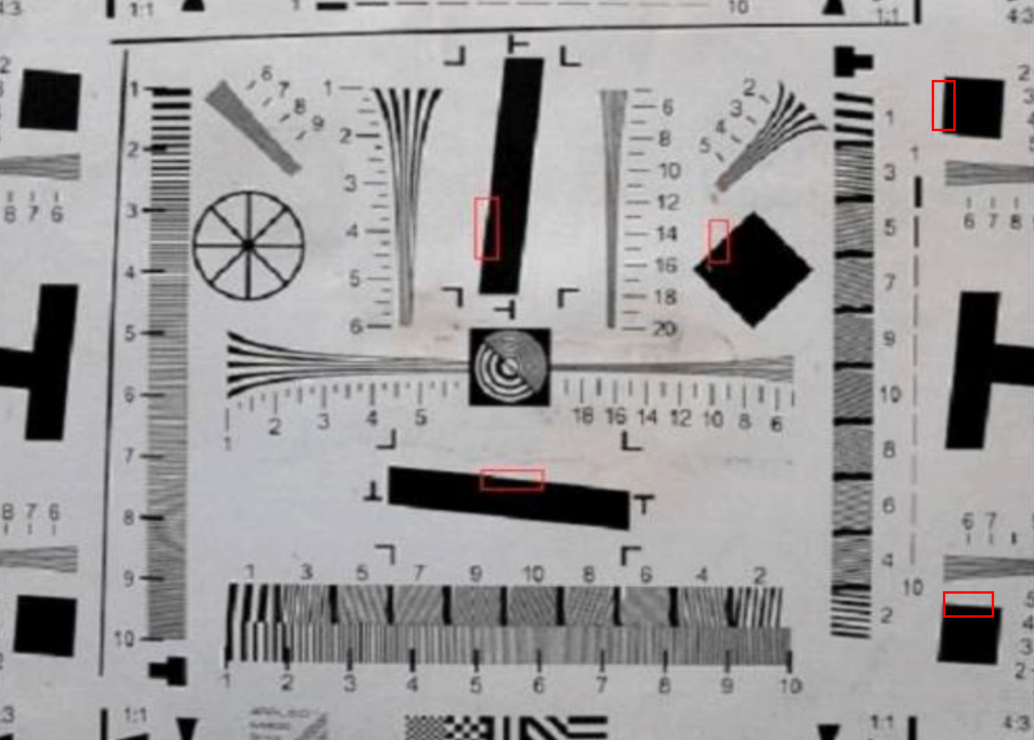
採用Imatest軟體進行SFR測試。
選取SFR測試,如下圖和所示框選測試Chart中心和邊緣區域斜邊
客觀測試標準——-AWB

客觀測試標準——-SNR
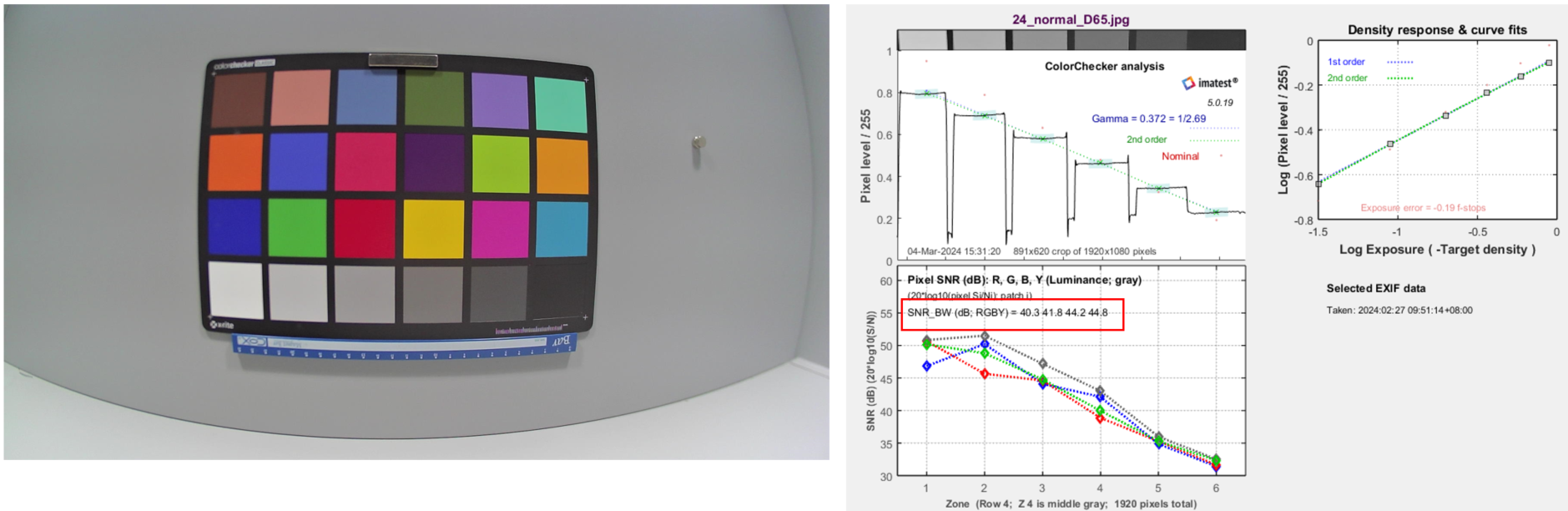
採用Imatest軟體進行SNR測試。
選取SNR測試,如下圖和所示框選24 Color Chart
計算SNR信噪比資訊
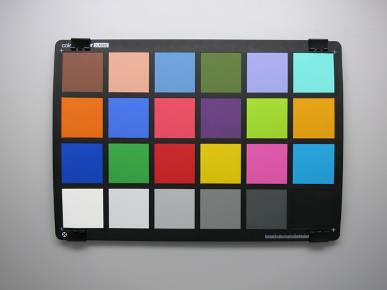
客觀測試標準——-Color Accuracy
採用Imatest軟體進行色彩分析準確度測試。
選取24 color chart,框選對角框
計算24 color chart 色彩分析

MSLync & Skype
Microsoft Lync Devices Video Capture Specification 和 Skype Hardware Certification Specification 為目前業界針對NBCam, Webcam做影像量測最常使用的兩套規格.
MSLync的規格分成: Basic, Standard and Premium, 一般客戶通常只要求過Standard.
Skype的規格分成: preferred level and required level (a subset of preferred level), 通常都是要過 preferred level.
MTF和SNR為重點測試項目(通常這兩項測試要一直做tradeoff).
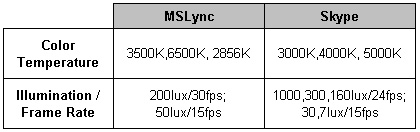
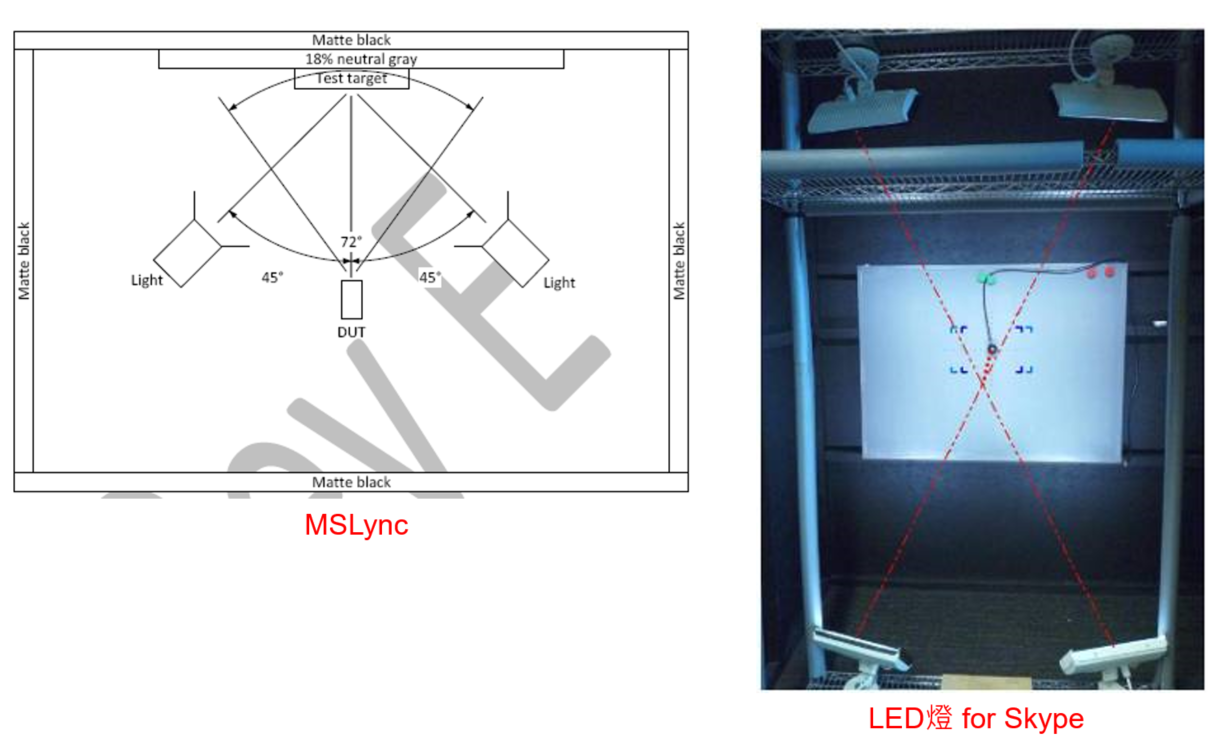
測試環境&設定比較:
測試環境
Test Items of MS Lync (ver.E)
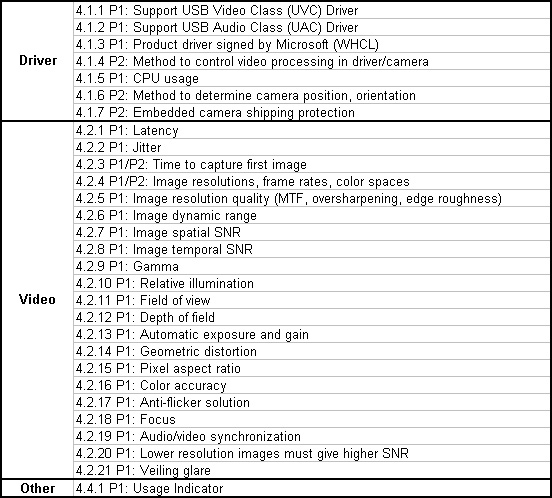
MS Lync: Image Resolution Quality (MTF, Oversharpening, Edge Roughness) (I)
此項測試目的為確保影像是否“夠”清晰.
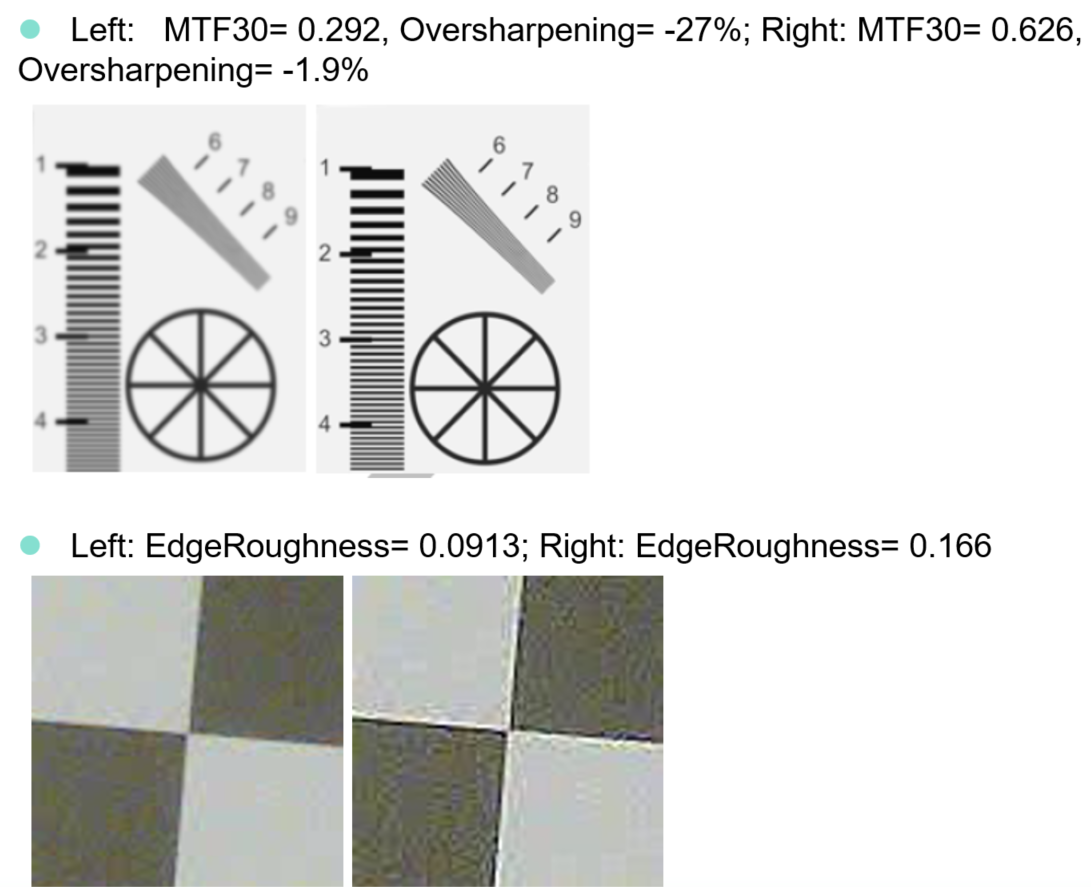
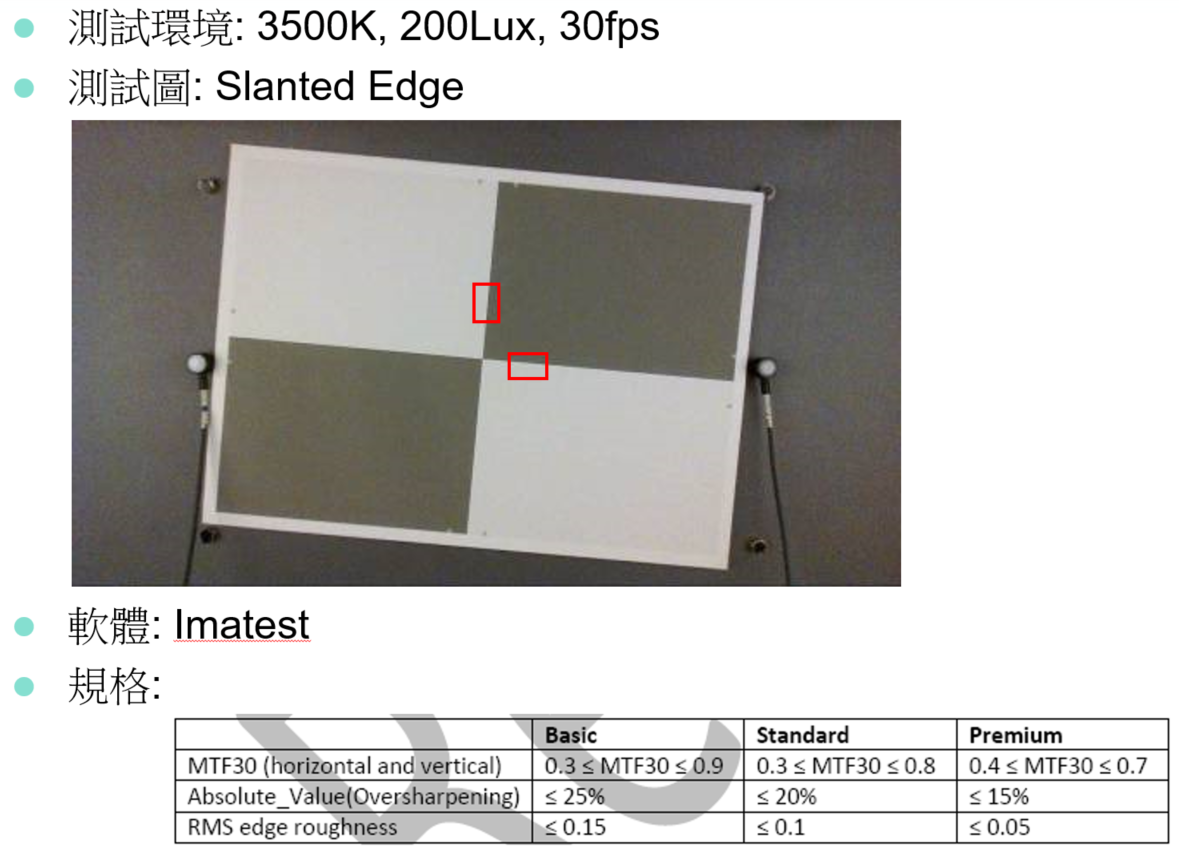
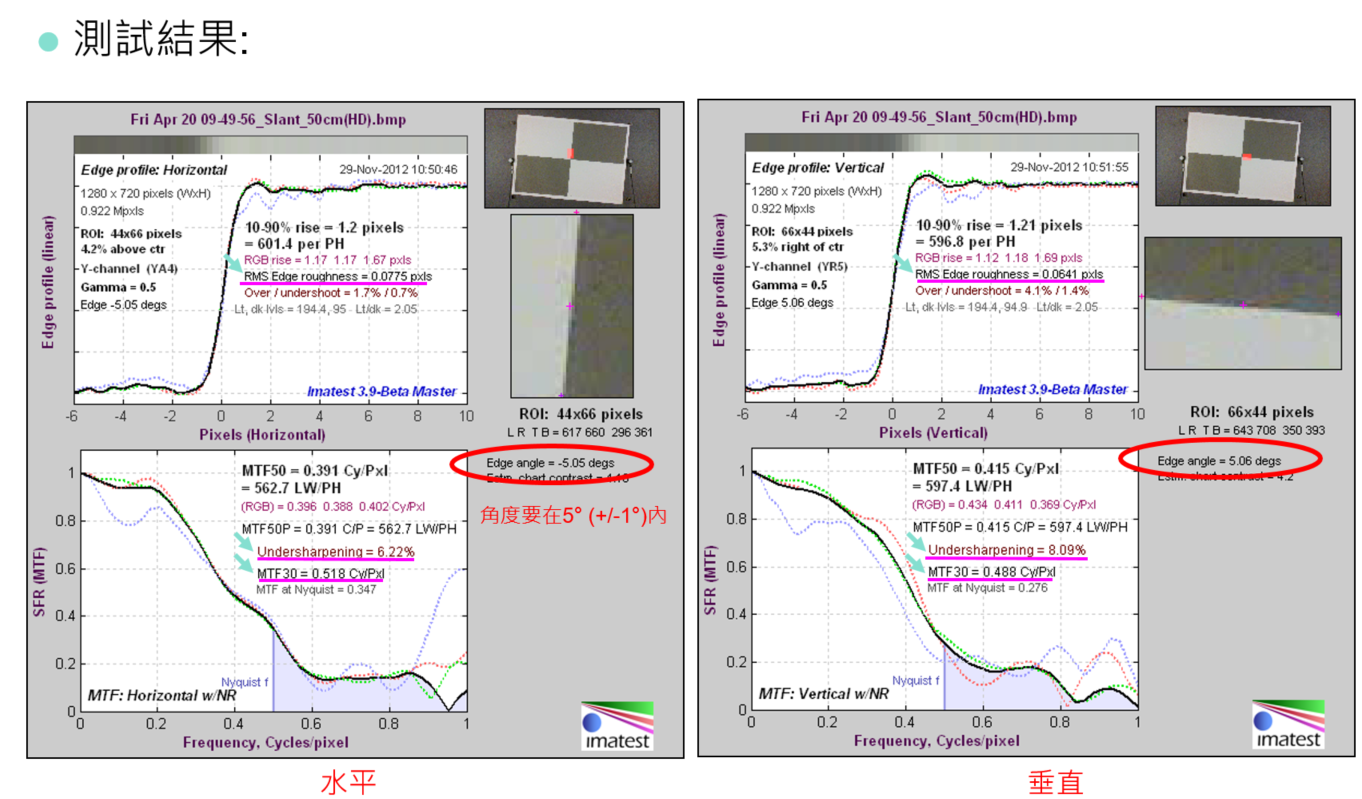
MTF30: 即量測edge當MTF=30%時所量測到的頻率(cycles/pixel),頻率越高表示解像力越好.
Sharpening (oversharpening or undersharpening): 即量測edge的銳利度; 可藉由調整ISP端的sharpness值, 來加強/減弱edge的黑邊和白邊.
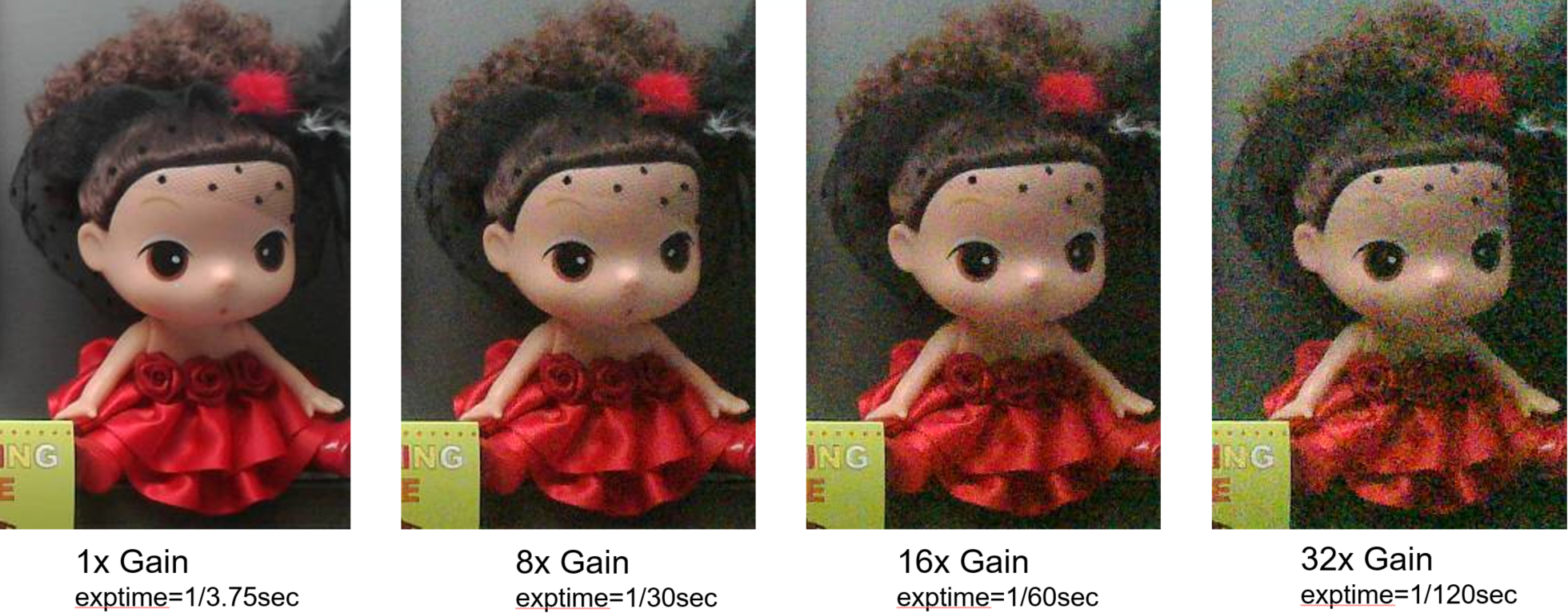
Edge Roughness: 即量測edge的粗糙度; 在低亮度環境雜訊較大時, 此量測值通常會偏高, 要適度的做denoise來減低roughness.
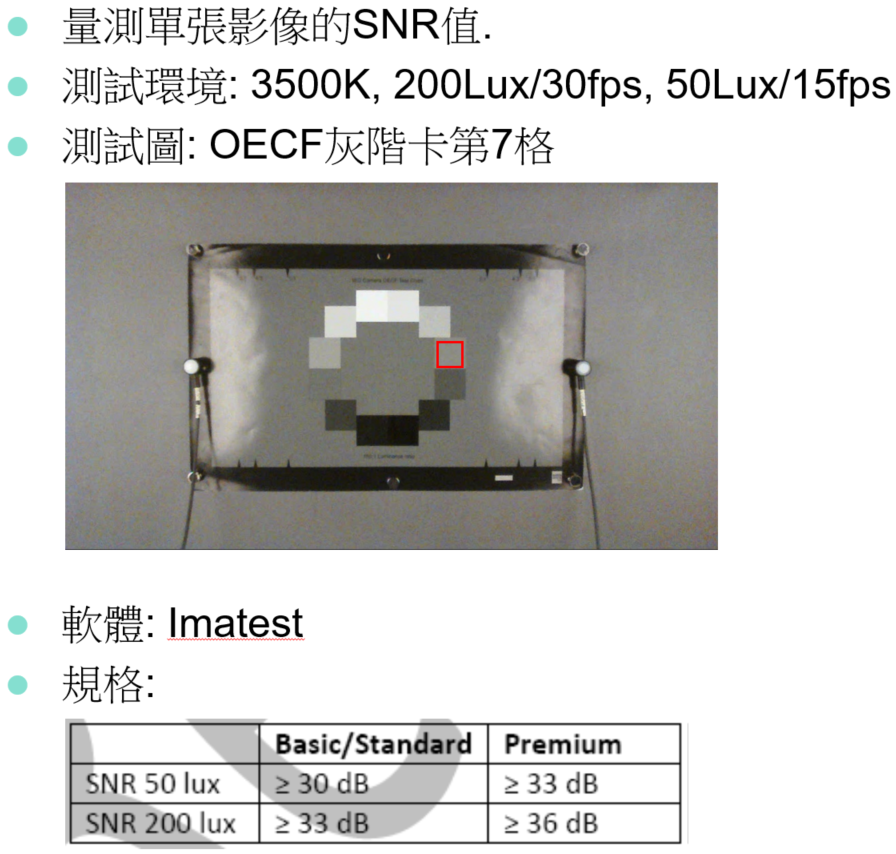
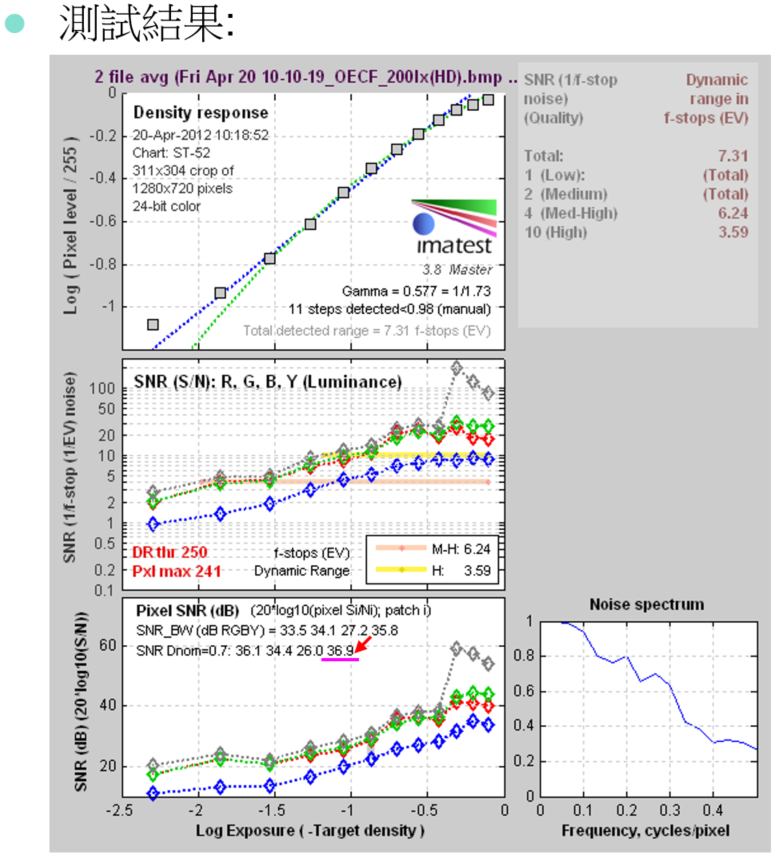
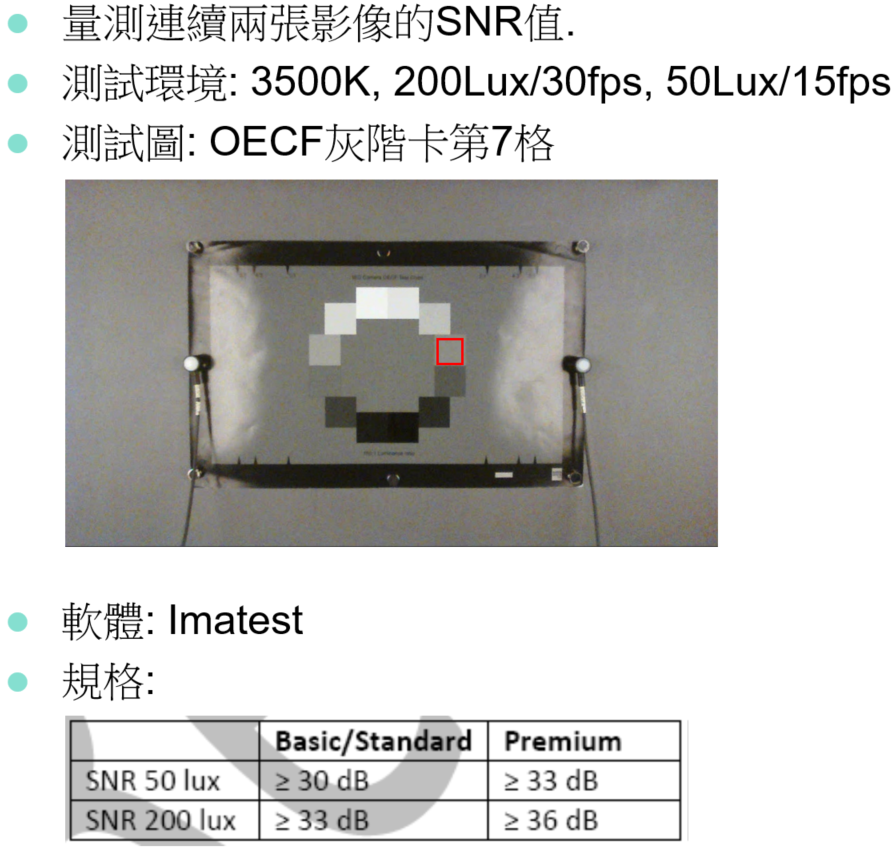
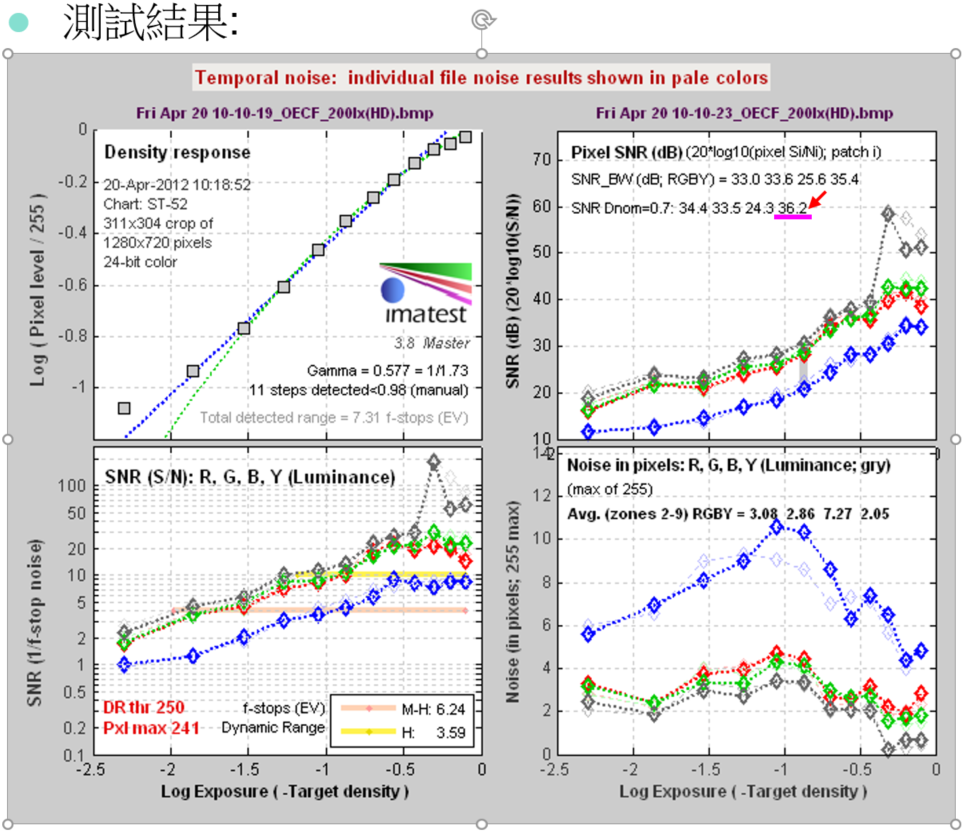
MS Lync: Spatial Noise (I)
Tip
拍照測試過程有關的策略原則 1、客觀測試拍照過程發生了異常問題,儘量拿去各種對應主觀場景進行測驗。 2、客觀測試資料瀕臨測試標準邊緣和存在爭議的情況,需要進行主觀測試檢驗,必要的情況要進行評測。 3、客觀測試與主觀測試結果衝突時,主要遵守主觀測試結果,或者進行多方面評測。 4、增加一些客觀測試項和附加用的測試內容是必要的;減少或者簡化測試,需要有充足的分析和理由,在必要的情況下以文檔備案
主觀測試標準
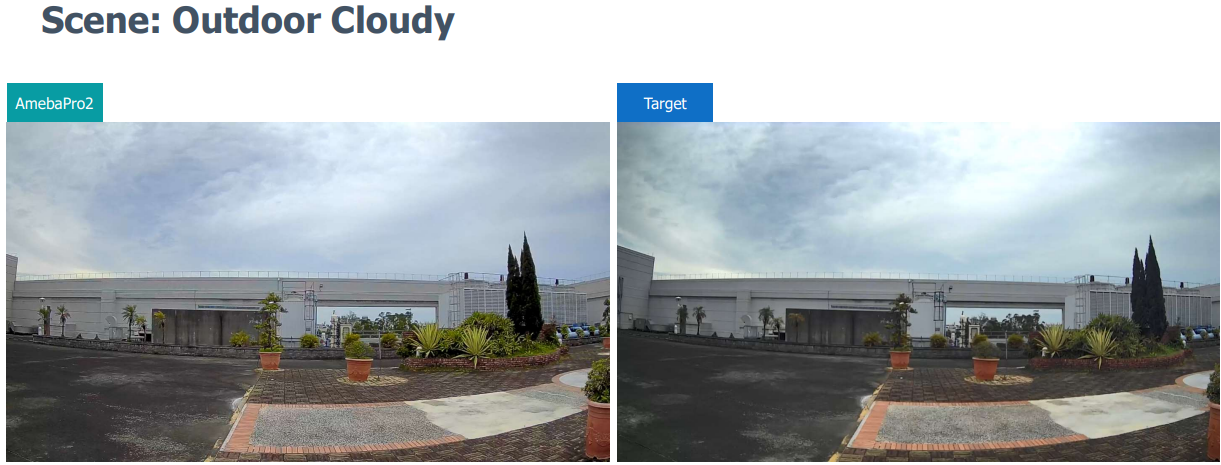
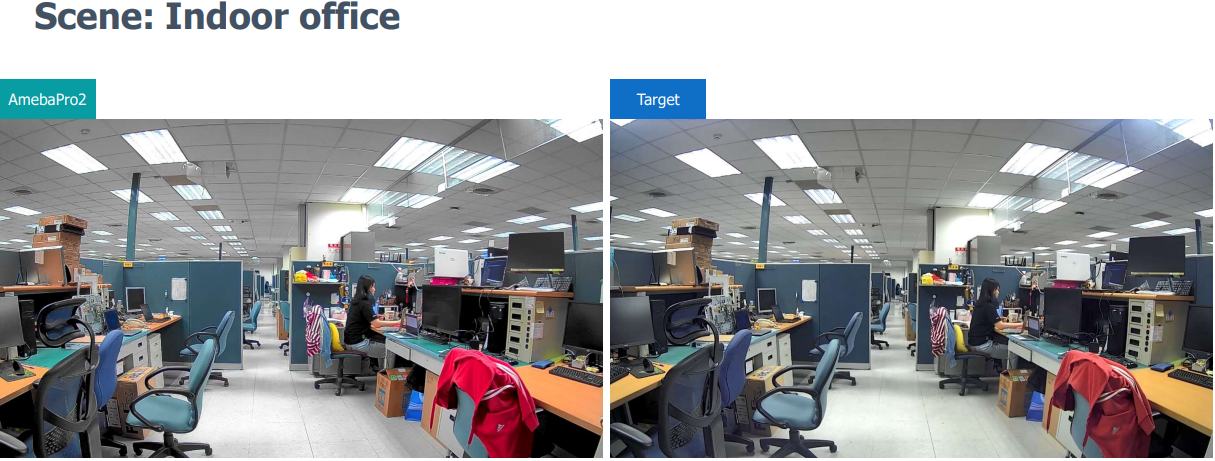
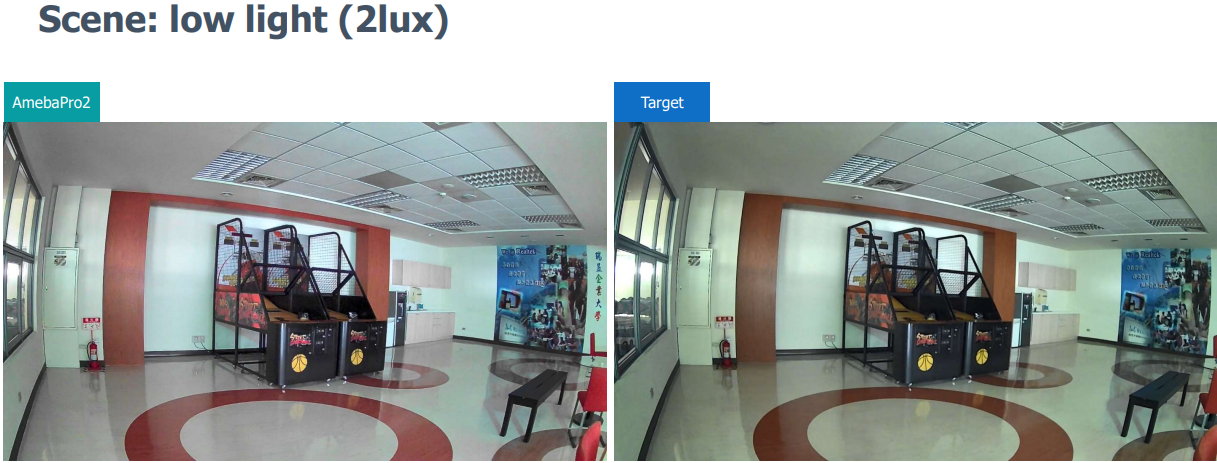
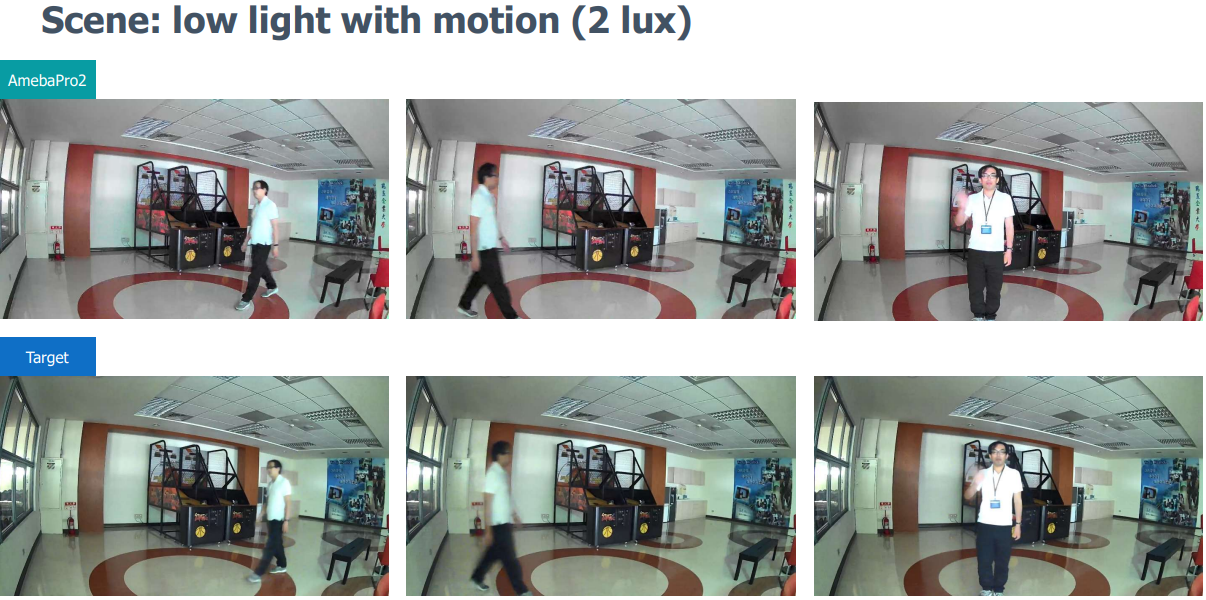
測試場景及測試項
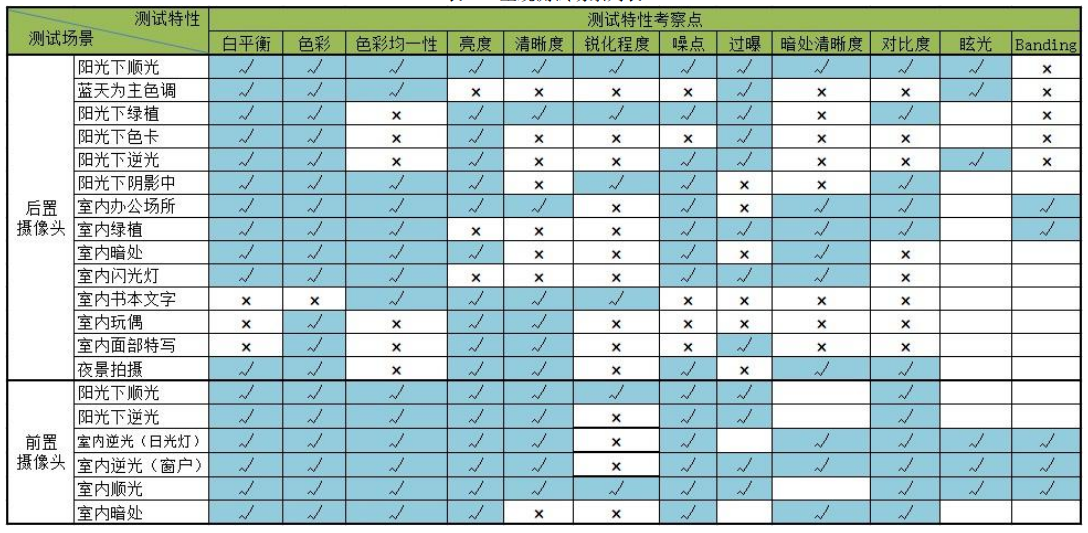
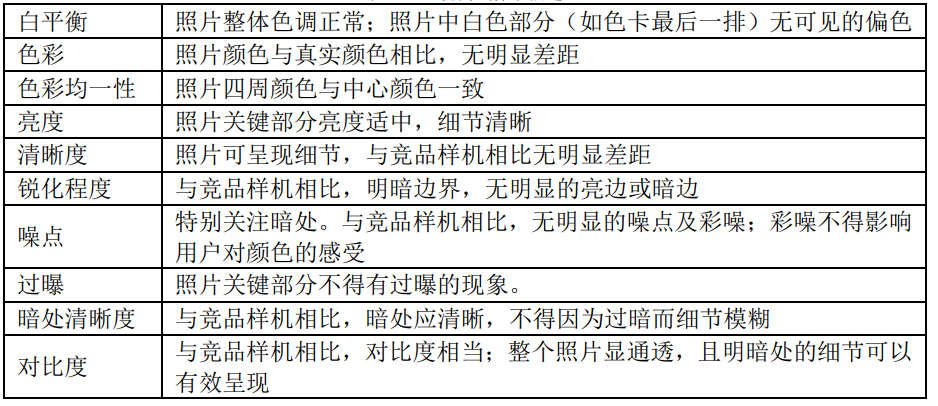
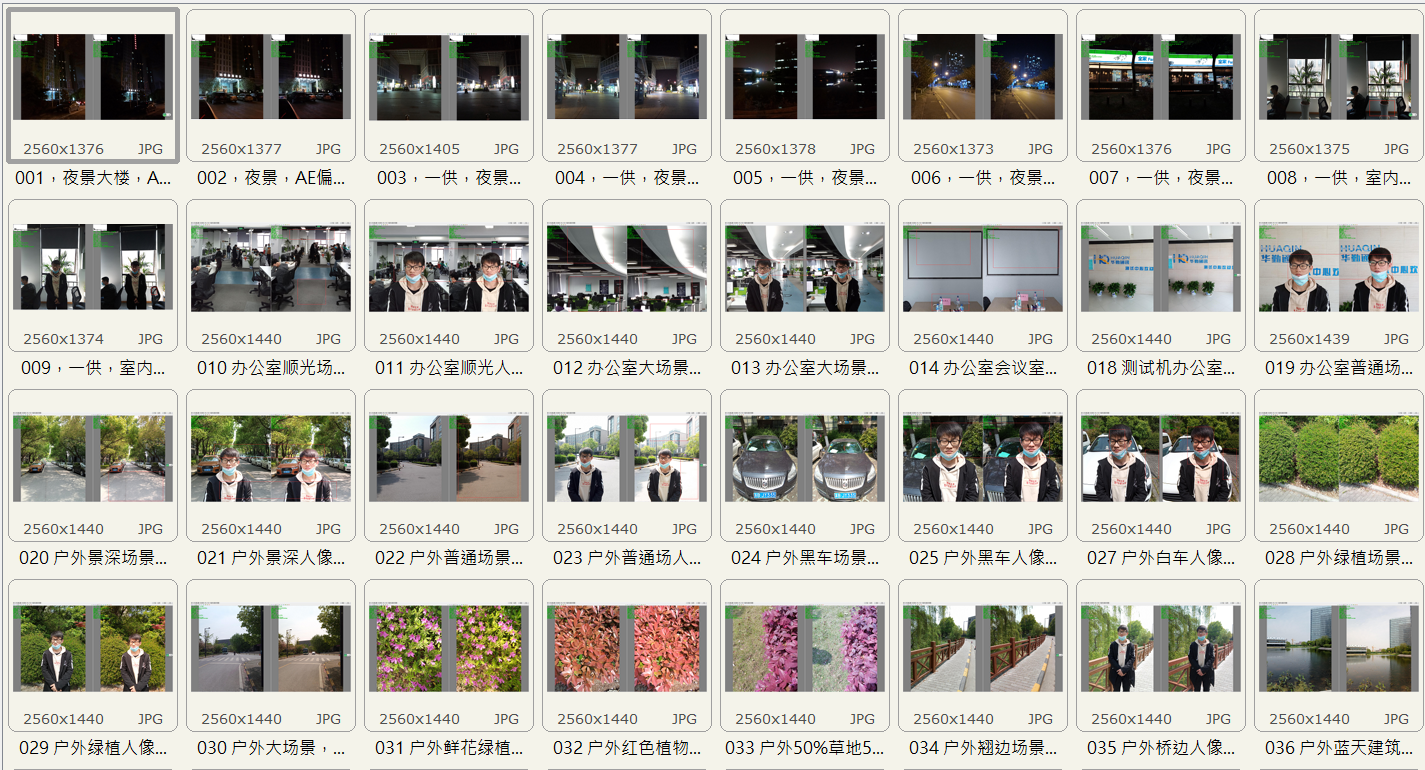
DXOMARK Camera V4 Protocol
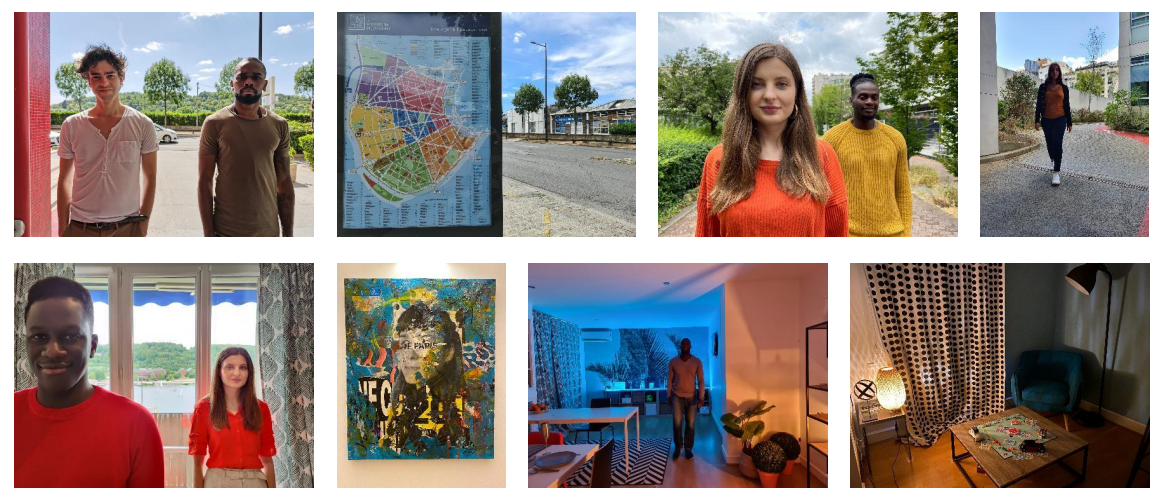
Photo Color Outdoor
1、White Balance remain a challenge for every type of camera.
2、Color saturation for saturated colors is also important.
3、Skin tone colors.
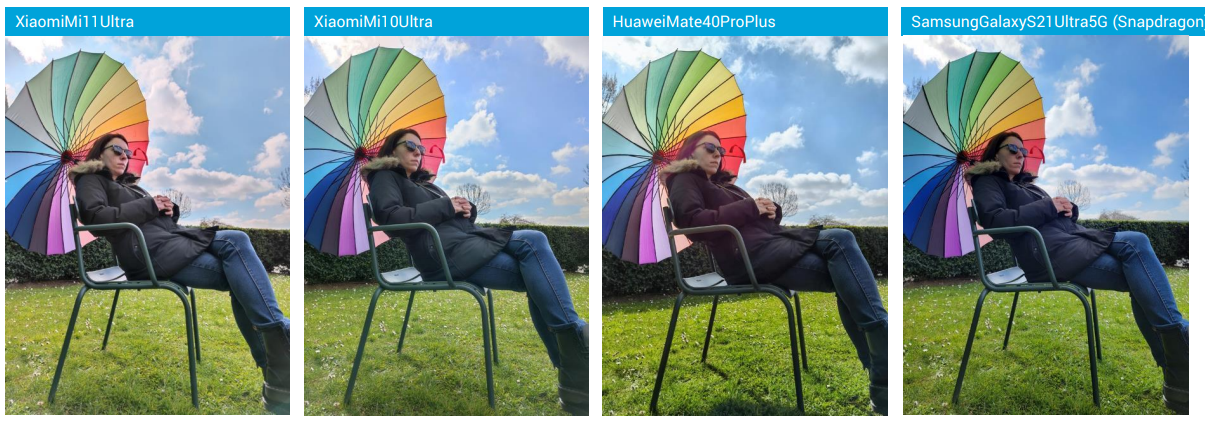
Portrait and HDR
1、In both portrait and landscape photography, a lot of scenes require strong HDR capacities to preserve both dark and bright parts in the image.
2、High dynamic scenes have been added to the protocol to make it more representative of typical usages.
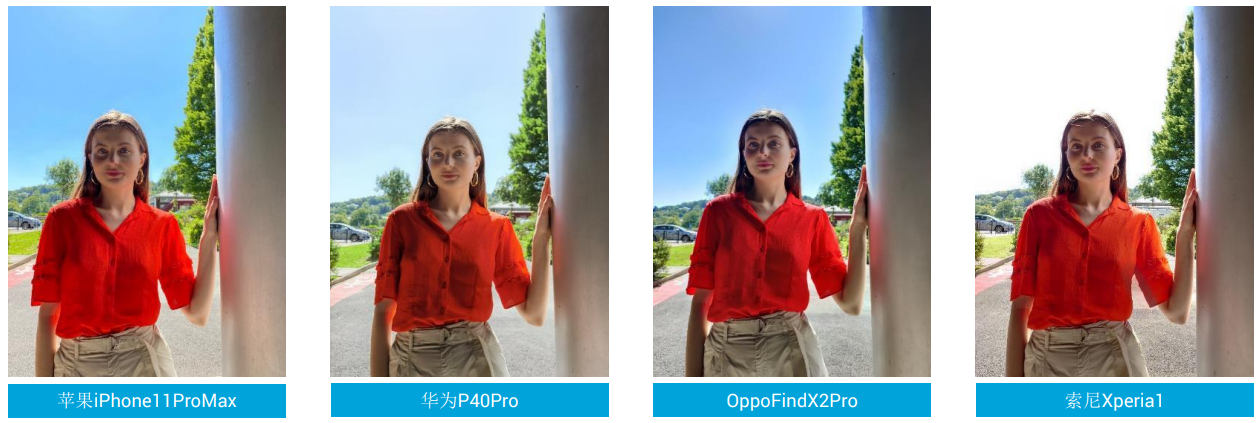
Photo Exposure Outdoor
1、Target exposure is usually accurate.
2、Dynamic range is extended.
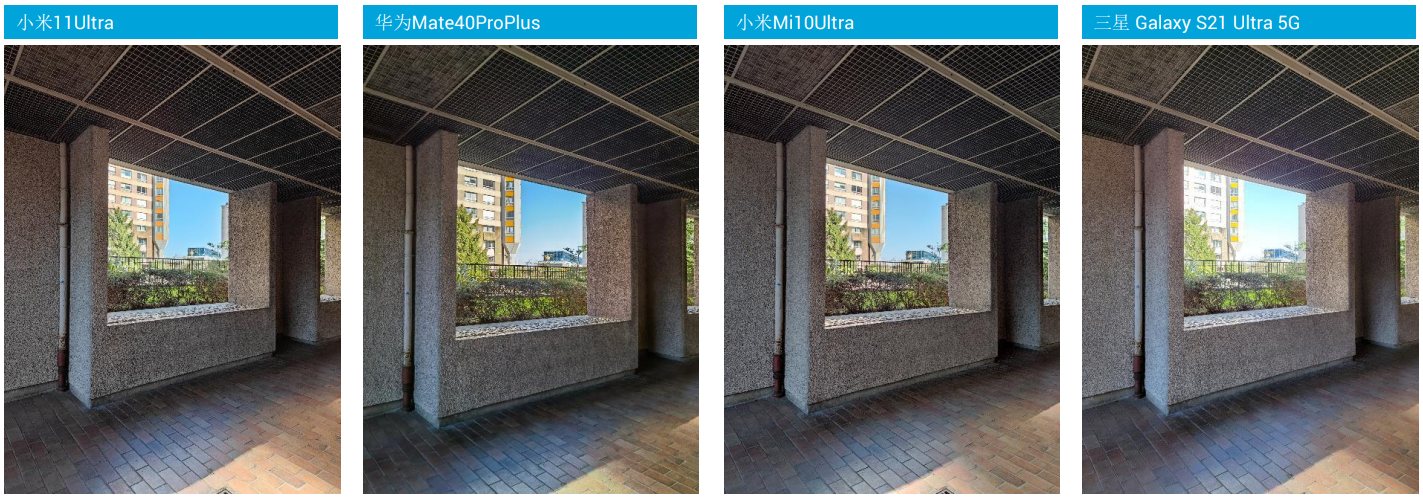
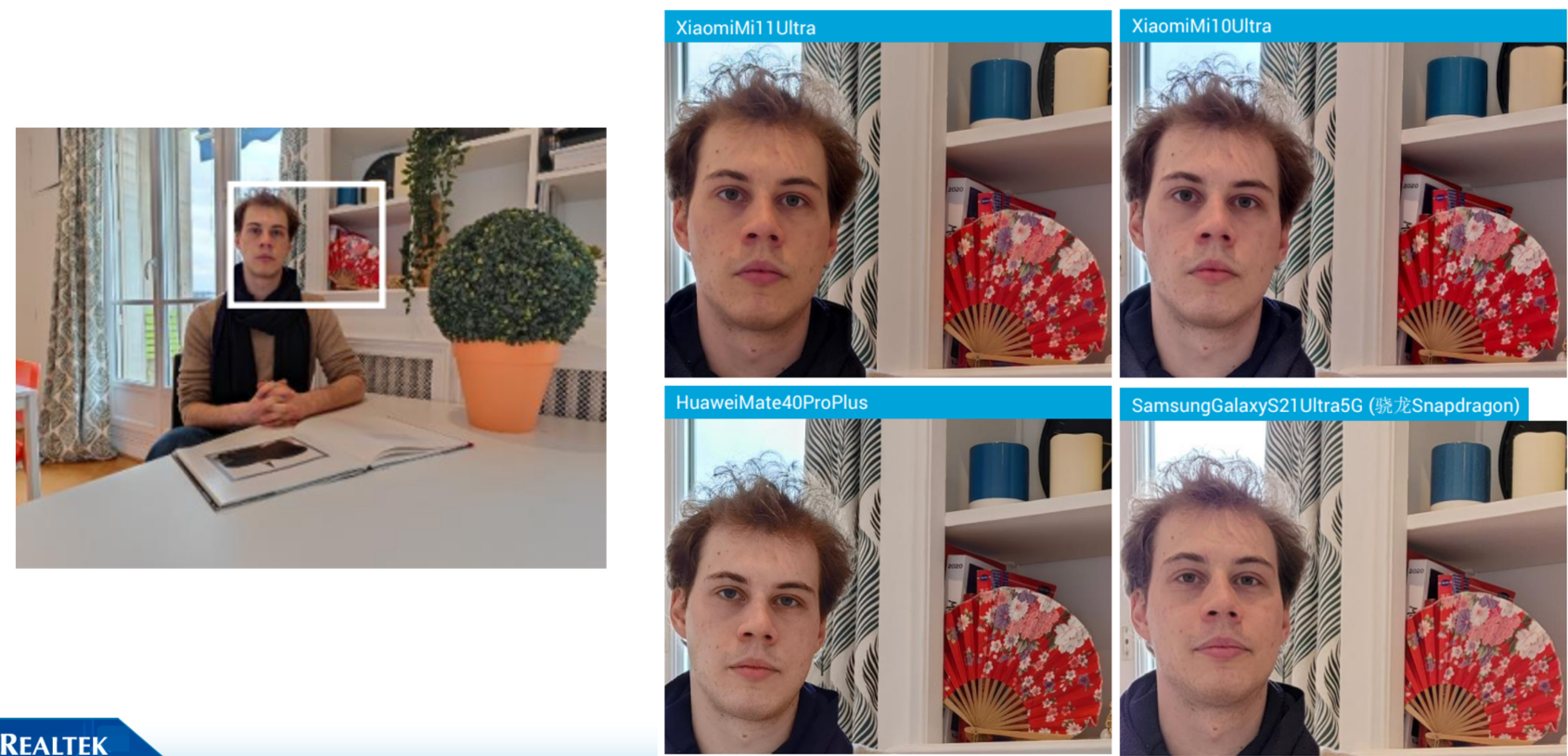
Photo Texture/Noise & HDR
1、Texture for HDR scene can vary significantly.
2、Texture for portrait, and portrait with motion is still complicated even for best devices..
3、Skin tone colors.
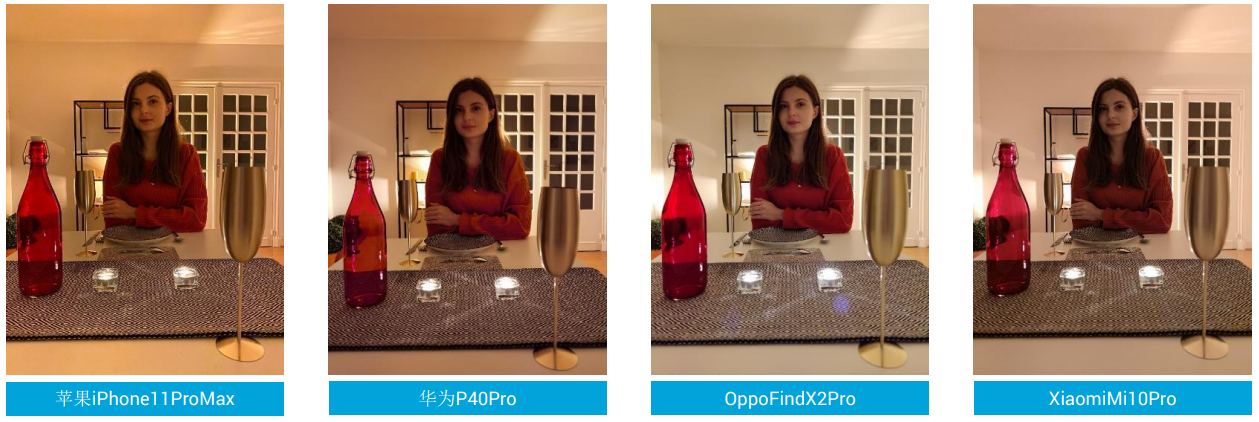
Portrait and lowlight
1、Dimmer light conditions are tougher to handle, devices can struggle providing a good exposure while preserving a decent texture-noise trade-off. Lowlight conditions are more represented in this new protocol version, with various use cases.
2、Skin tone colors.
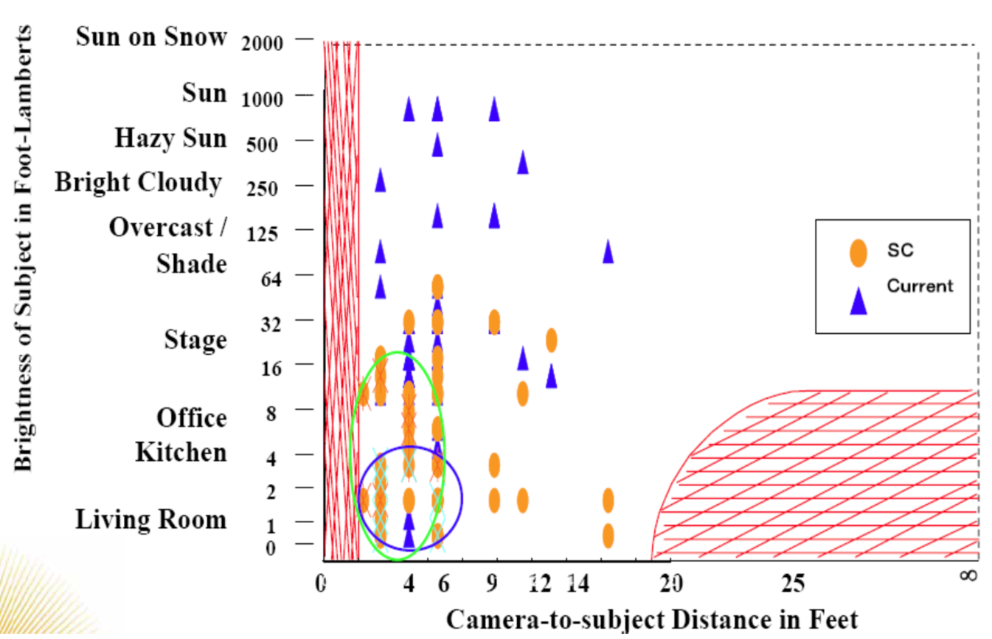
Smart Capture test plan
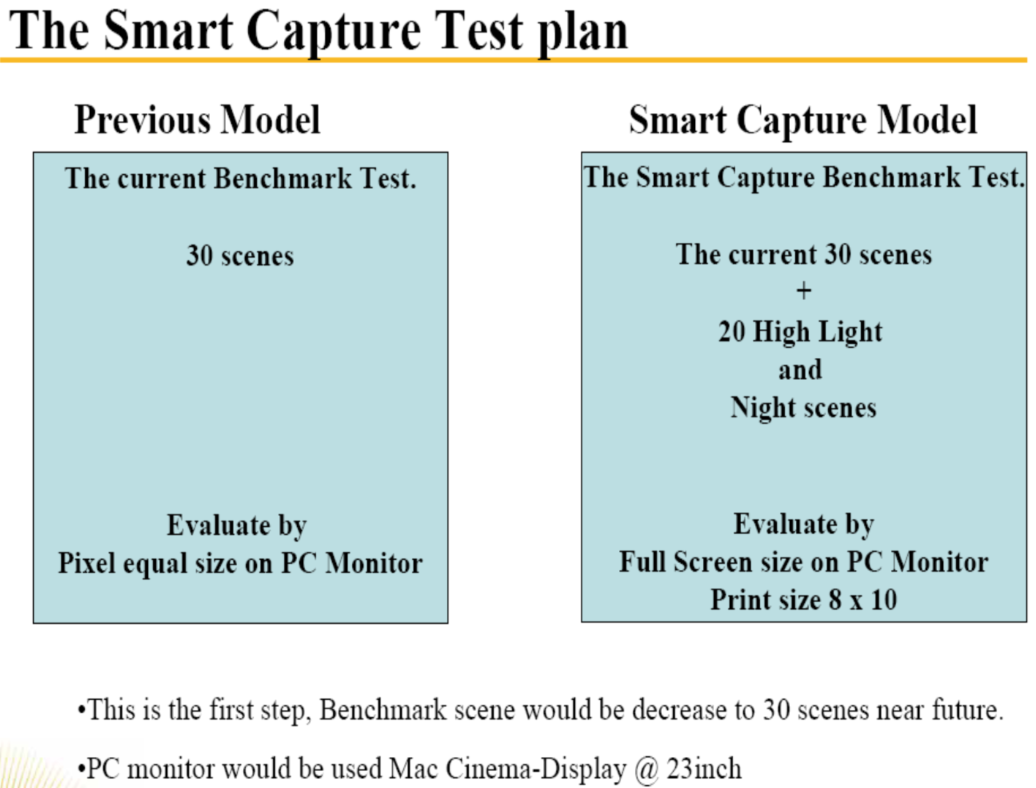
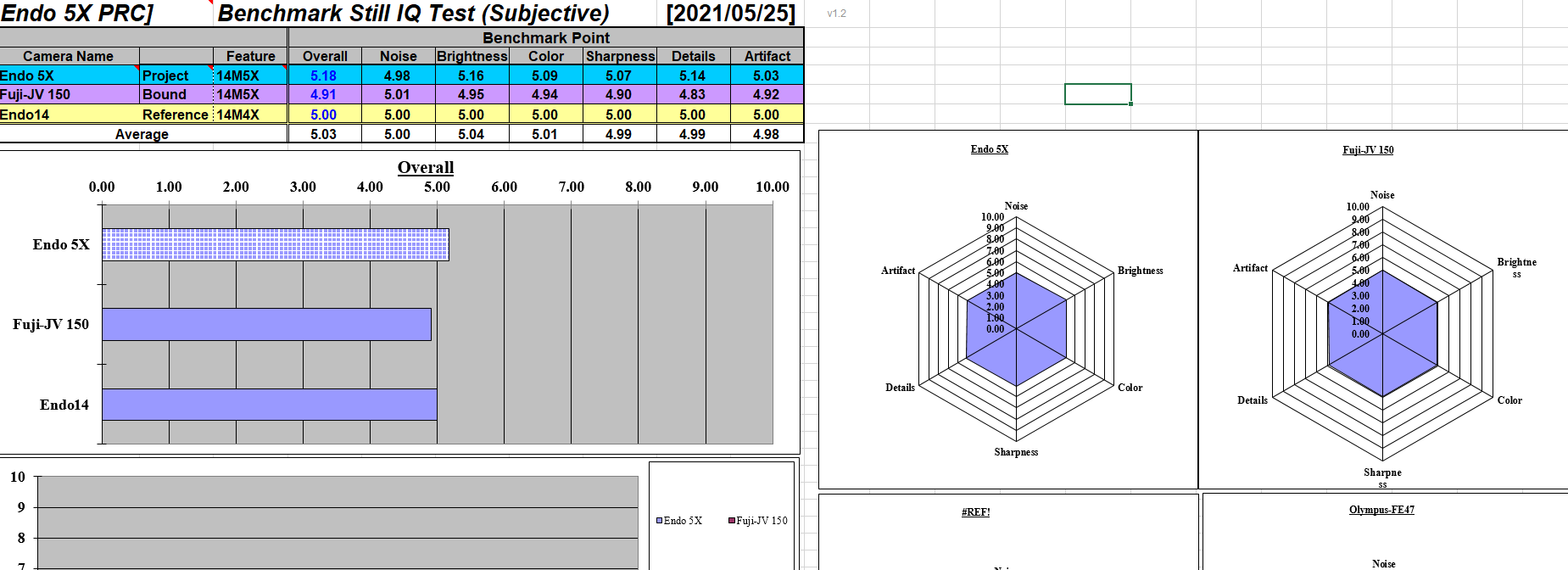
Subjective test plan
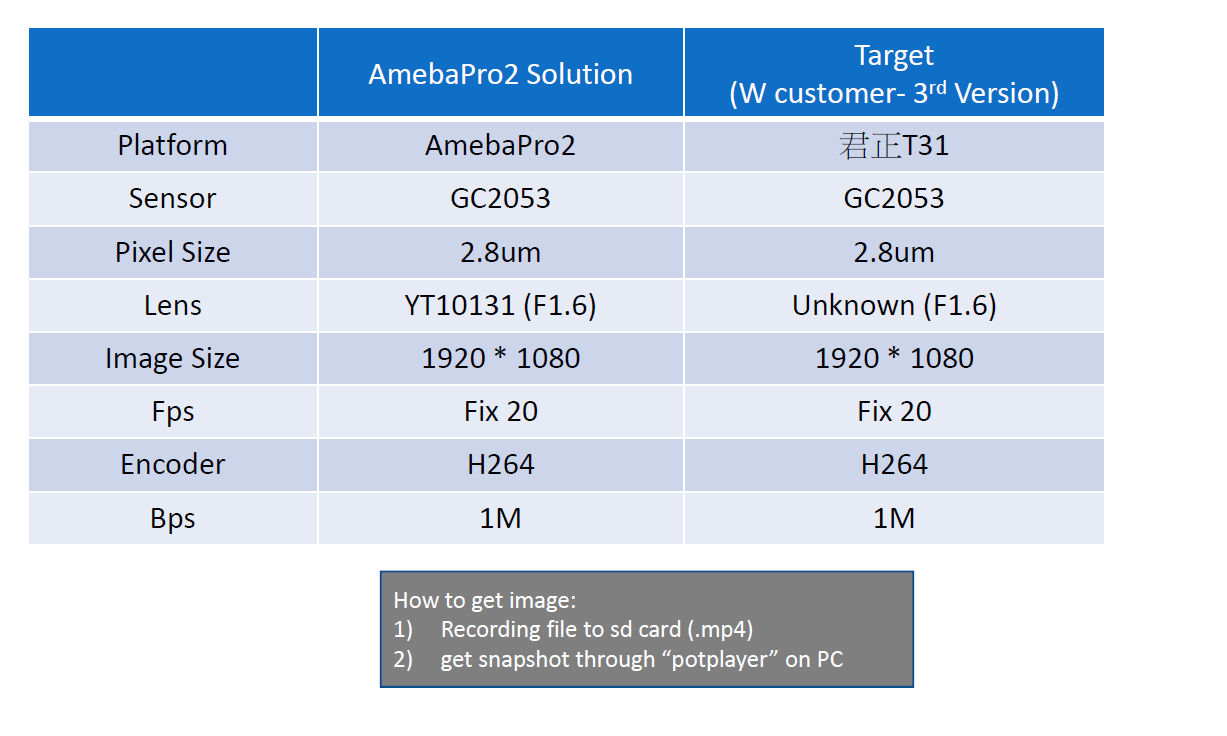
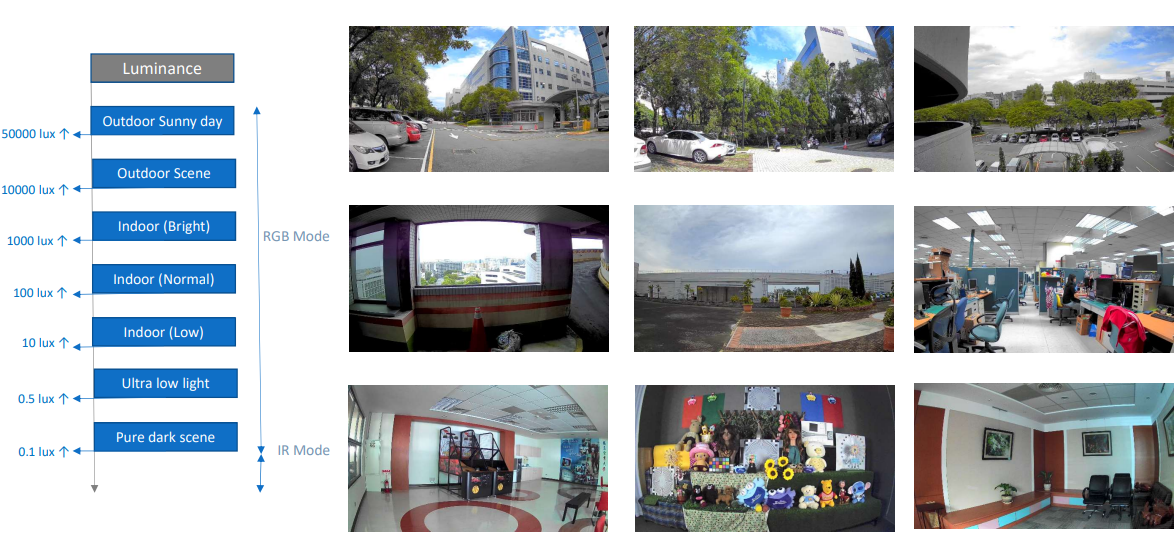
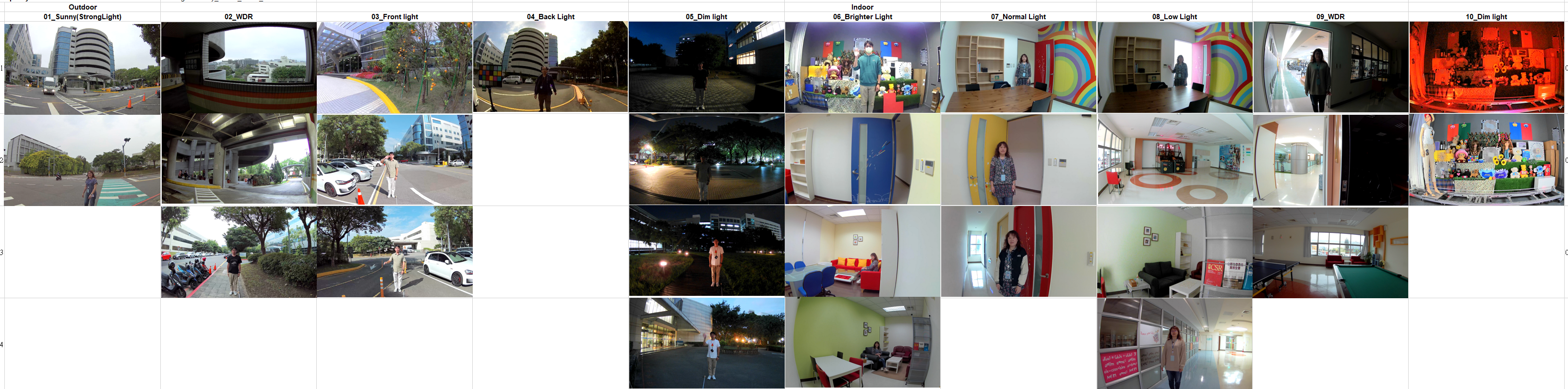
Scene Map
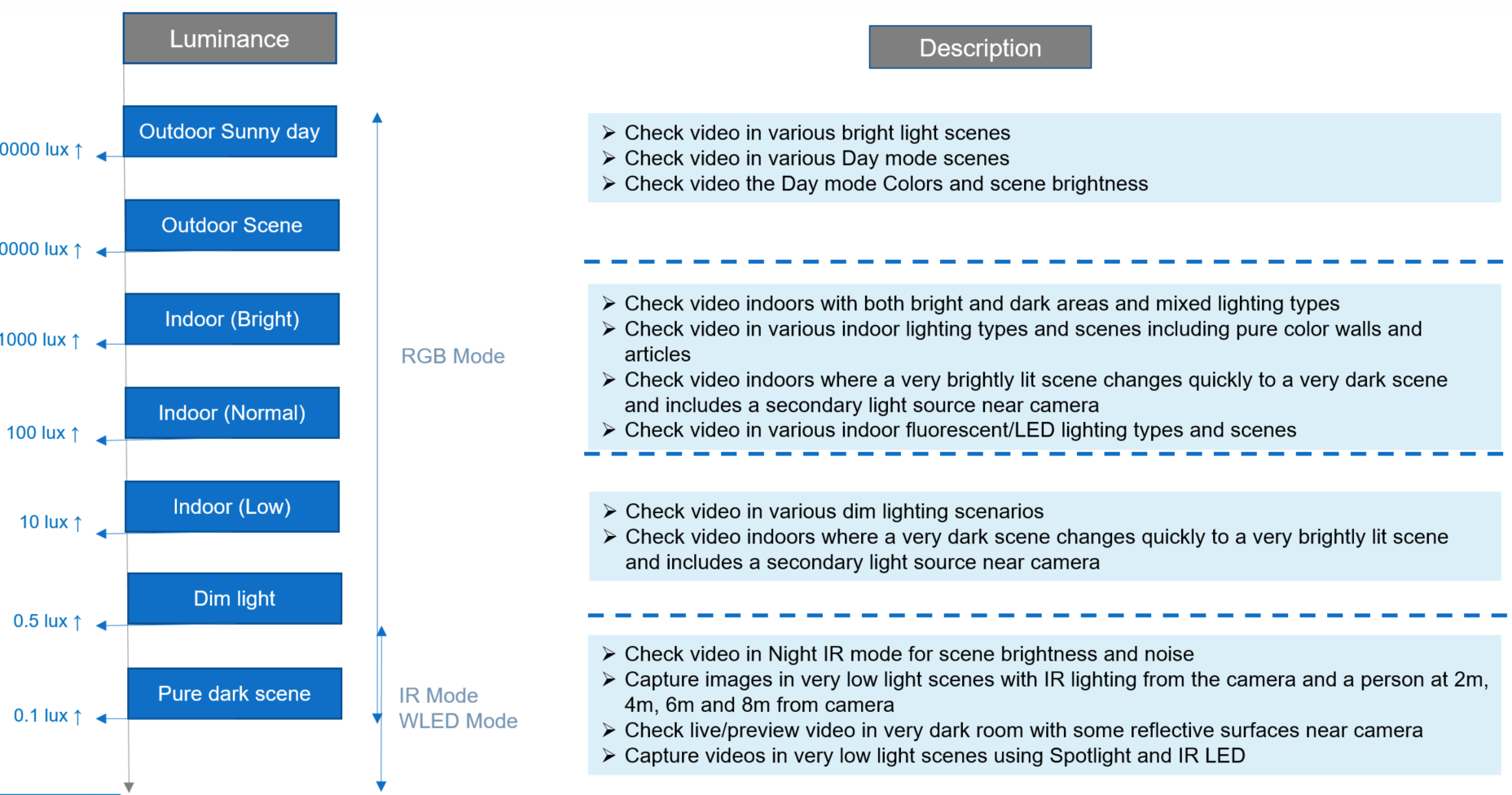
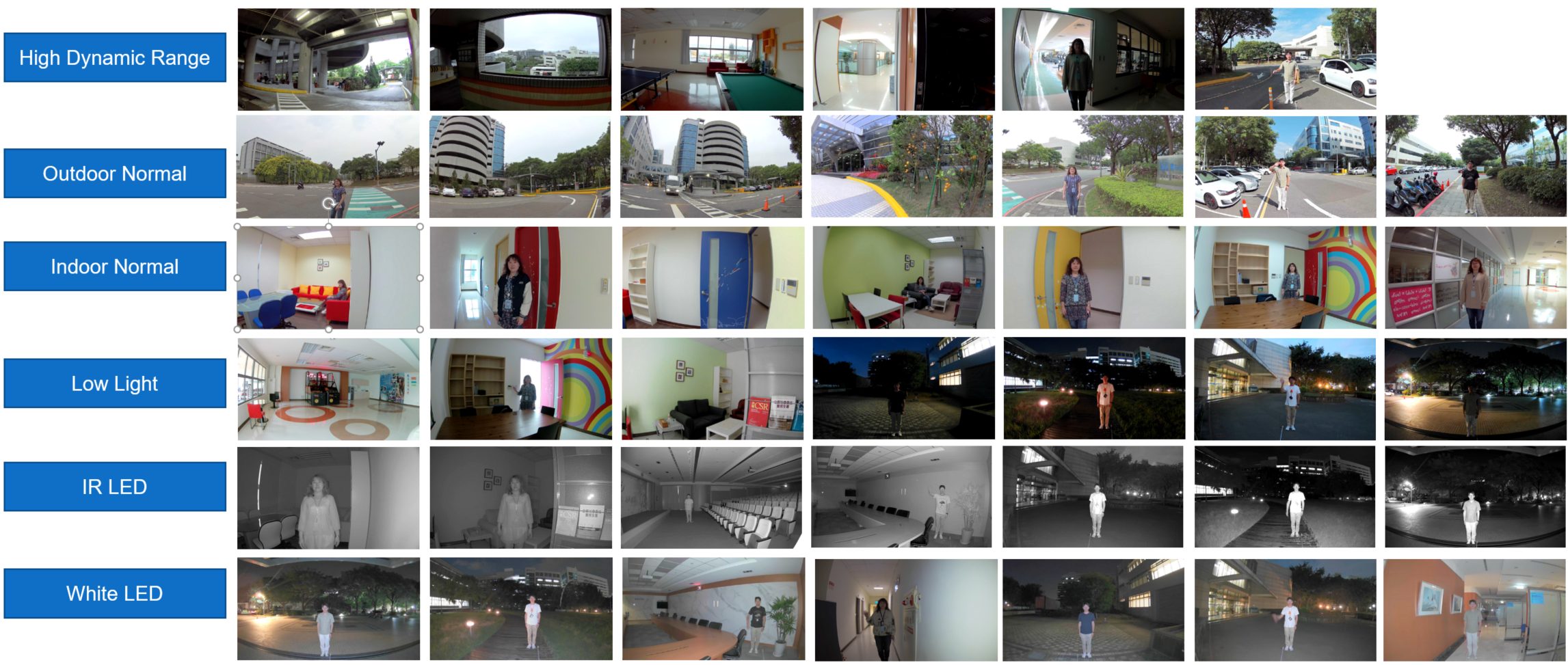
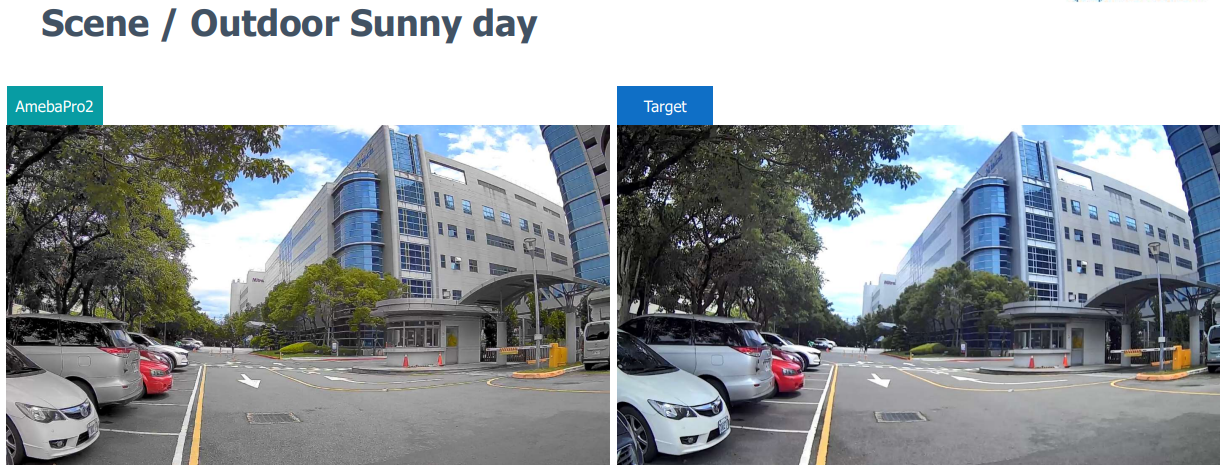
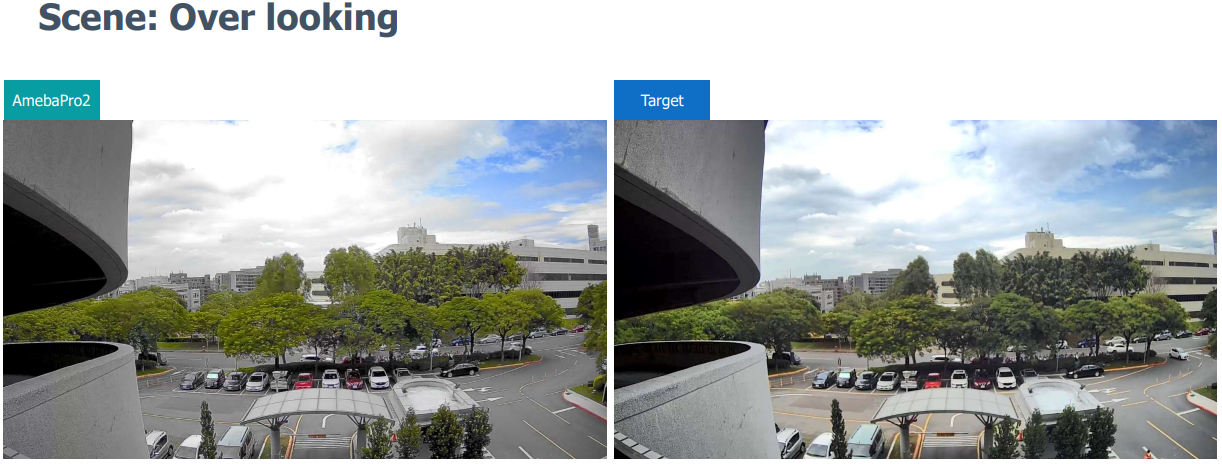
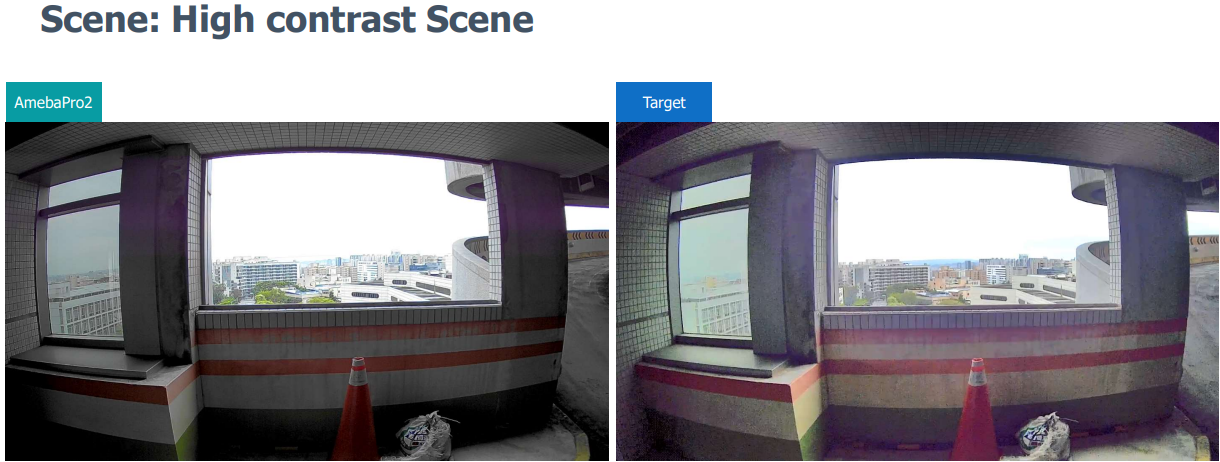
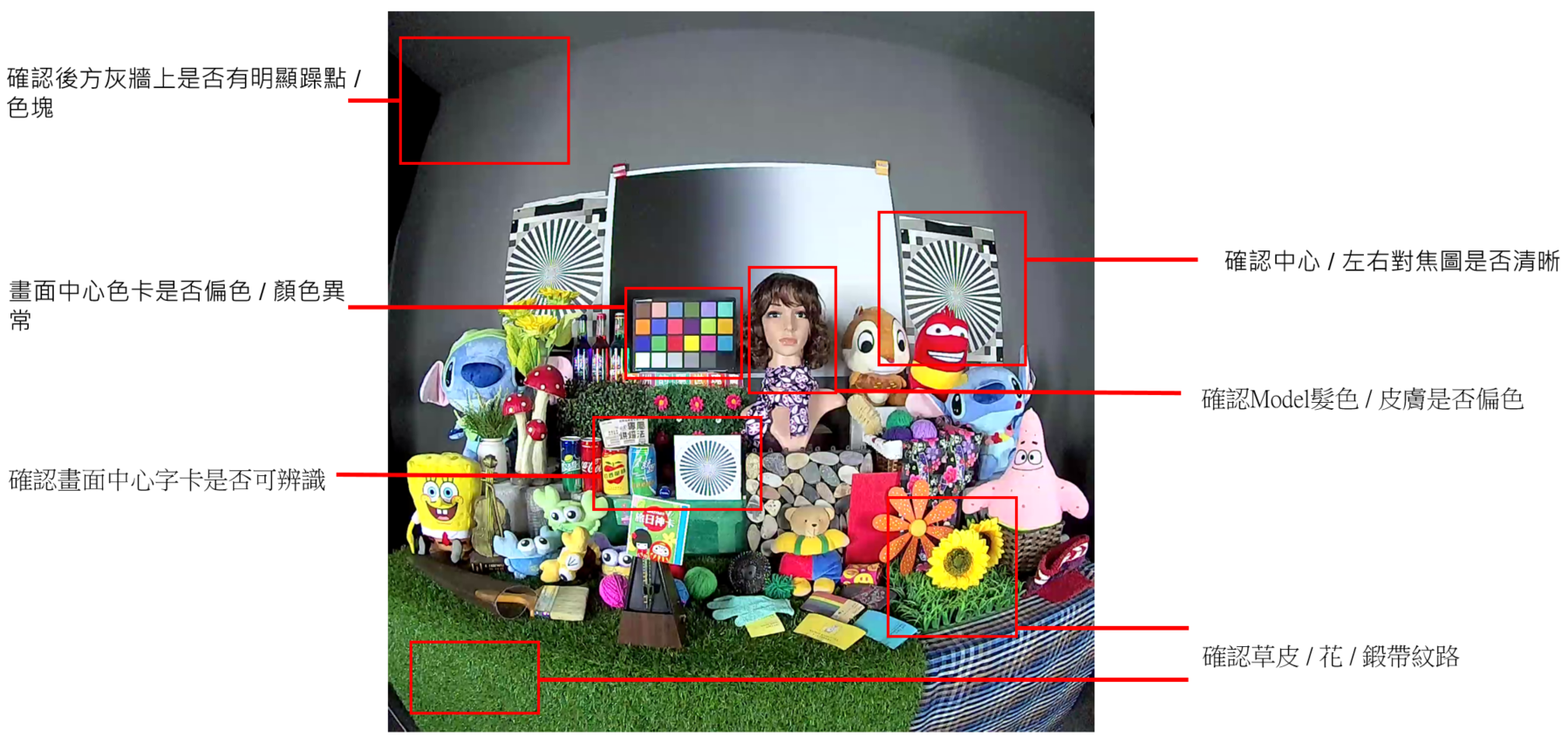
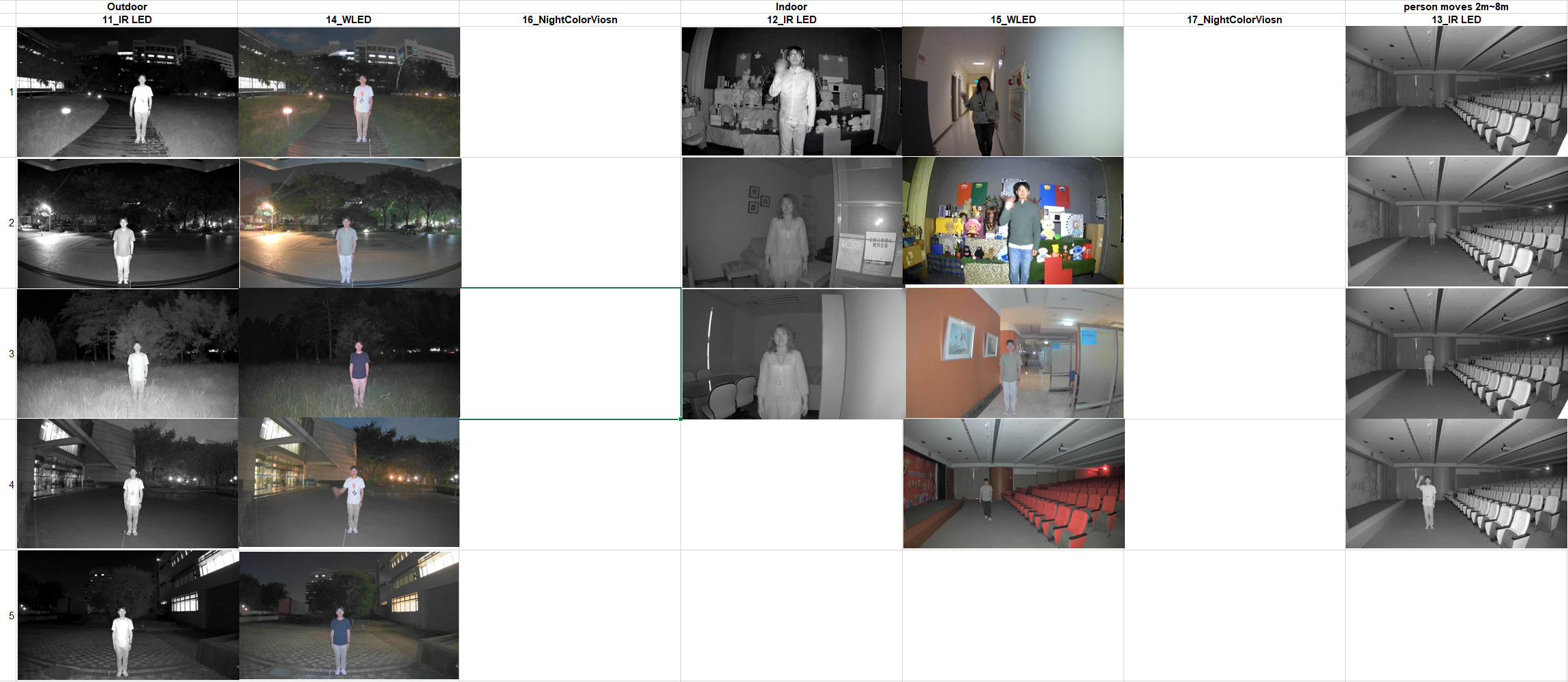
RTK verification scene